

Solved
Identifying quilts faster in import doctor
Hi,
I have a question on working with imported features.
The model I have contains surfaces / quilts which have been imported.
I need to edit the model, for which i need to get into import doctor environment to make the changes.
so,
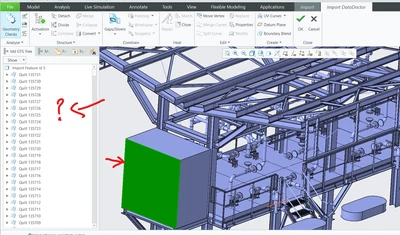
1. I would like to have the quilts highlighted in the model tree as i pick it in the graphic window, currently this doesn't happen. is there a config to change this behavior?
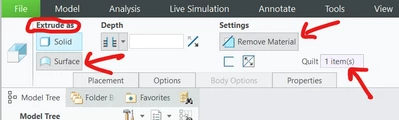
2. Is there an easy way to perform surface operations to get rid of multiple unwanted quilts (like using Revolve or extrude cuts). Currently, I could only identify the below option, but this gets rid of only one quilt at a time.
Thanks.