
15-Moonstone
October 14, 2024
Question

Import STEP created by NX 11

  • October 14, 2024
  • 1 reply
  • 2266 views

Hi Community


I'm using Creo 11.0.1.0


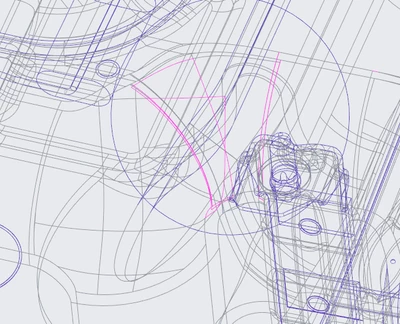
When I import a STEP File that was created with Siemens NX 11, there are a lot of surfaces that fail.
AlexK_0-1728909973271.png

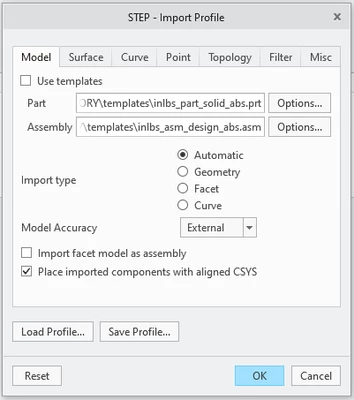
By optimizing the import settings, the load time was improved, but the surfaces still aren't ideal.


Can anyone share a STEP Import Profile configuration?
AlexK_1-1728910028963.png

Thanks for your help!


This is the STEP file header:

ISO-10303-21;
HEADER;
/* Generated by software containing ST-Developer
* from STEP Tools, Inc. (www.steptools.com)
*/
/* OPTION: using custom schema-name function */

FILE_DESCRIPTION(
/* description */ (''),
/* implementation_level */ '2;1');

FILE_NAME(
/* name */ 'FileName.stp',
/* time_stamp */ '2017-09-15T09:42:51+02:00',
/* author */ (''),
/* organization */ (''),
/* preprocessor_version */ 'ST-DEVELOPER v16',
/* originating_system */ 'SIEMENS PLM Software NX 11.0',
/* authorisation */ '');

FILE_SCHEMA (('AUTOMOTIVE_DESIGN { 1 0 10303 214 3 1 1 1 }'));
ENDSEC;


Best wishes


Alex

1 reply

tbraxton
22-Sapphire II
22-Sapphire II
October 14, 2024

I do not have any Catia specific import suggestions. I would use the same STEP protocols on both ends if possible.


In some cases, you may get better results when importing if you match the absolute accuracy (units of length) in Creo to that of the Catia source file. So set the start part template you use in the import to match the absolute accuracy (resolution?) of the CATIA source model.

AlexK15-MoonstoneAuthor
15-Moonstone
October 14, 2024

The Problem is, that we really don't know anything about how the STEP File was created, beyond the header of the STEP file and that it is data from Mercedes Benz. I made an error thinking it was a CATIA file it is actually NX. 


There are intersecting surfaces in the STEP models which cause the surfaces to fail.

AlexK_0-1728913176513.png


We have a potential customer, who is thinking about switching to Creo from Catia, he says the STEP files open without problems in Catia and won't switch if Creo can't handle it.


23-Emerald III
October 14, 2024

I think it's a crapshoot when importing files for all software. I have access Solidworks and inventor and I use creo for my day to day work. Sometime when creo doesn't import nicely, I try in solidworks and/or inventor. Always mixed results and occasionally downright crazy results. Generally I think solidworks does the best for most imports. Usually a working surface model is ok for me so I'm not overly concerned if it doesn't solidify.

I don't have recent experience with NX imports and its been more than 30+ years since I spun the knobs on a catia system and to be fully honest, I only spun the knobs, I didn't actually do any work with it.