
11-Garnet
August 4, 2024
Solved

Imported curves to a single sketch in creo parametric

  • August 4, 2024
  • 1 reply
  • 1545 views

Is there a quick way to project a bunch of separate (imported) curves to a single sketch without clicking through them all? So i have a bunch of curves or faces that i would like to turn in this case into a cosmetic sketch, but I have had situations where i have wanted to extrude a complex projection too.


So in this case i have a bunch of planar curves (yes they are planar they start out as a projection):
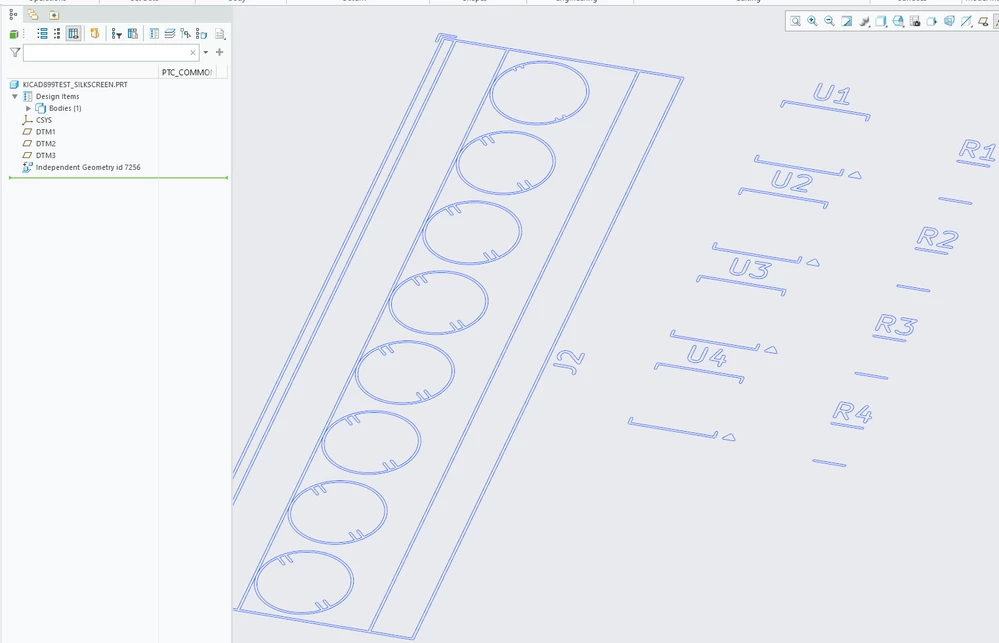
 

creo_project.png


So any quick way to project all of them into a sketch? A script perhaps?


Running creo parametric  9 though i can update to 11 if necessary.

Best answer by joojaa

Oh ok nevermind it has been apparently added to the software in 9.0.2, my backup machine is running a bit stale should probably update to newest.


When in the sketcher choose project, and then in the selection window click review and edit chain. Then choose all curves in feature.


I though i had used this feature. And i did. Alright need to use remote machines until monday.

1 reply

joojaa11-GarnetAuthorAnswer
11-Garnet
August 4, 2024

Oh ok nevermind it has been apparently added to the software in 9.0.2, my backup machine is running a bit stale should probably update to newest.


When in the sketcher choose project, and then in the selection window click review and edit chain. Then choose all curves in feature.


I though i had used this feature. And i did. Alright need to use remote machines until monday.