

Improving Large Pattern Performance
You can read the Desktop Product Focus of the Month here also authored by Mark Decraene and you can also read the Enterprise Product Focus of the Month here and the Enterprise Tip of the Month here authored by Jack Sullivan.
| PTC Technical Specialists Newsletter - May 2011 |
Tip of the Month : Improving Large Pattern Performance |
|---|
If you have ever dealt with creating a large pattern array of features in a Creo Elements / Pro model, you have probably experienced less than desirable regeneration times. This is mainly because the feature being patterned is probably made up of several Pro/E features that get patterned as opposed to a single feature.
To illustrate this, take the following example:
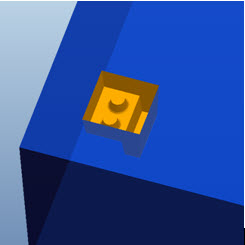
The geometry representing the pocket (gold colored geometry) in this part below is being patterned in a 20 x 20 array and is made up of 6 features. When you create a typical pattern to represent the pocket geometry, you ultimately end up with 2400 features in your model (20x20x6). As you can imagine, the regeneration time for a 2400+ feature model is going to slow things down a bit! In this example it took about 3 minutes to regenerate this pattern set.
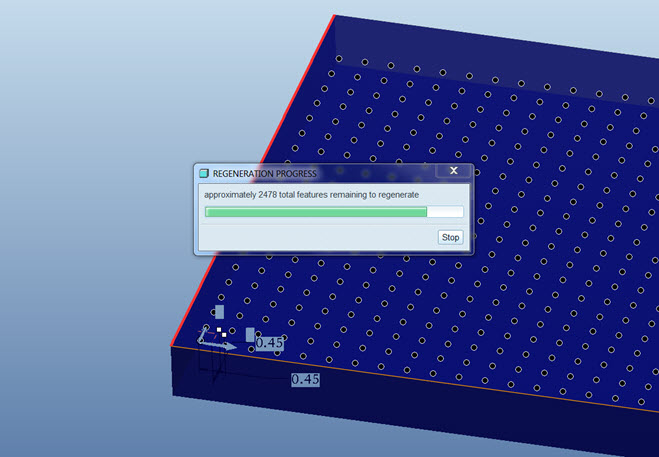
Now let’s look how you can optimize your model to regenerate faster using the new Geometry Pattern that was introduced in Creo Elements / Pro 5.0.
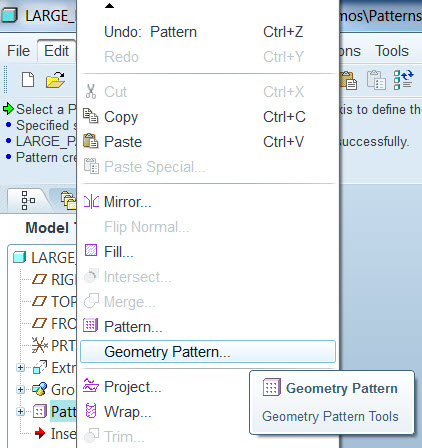
To use the Geometry Pattern, select the surfaces you want to pattern. In this case, I used a seed and boundary technique to gather all of the surfaces needed quickly. You can also just simply select the surfaces while holding down the Ctrl key. With the surfaces selected, choose Edit from the top Toolbar and then Geometry Pattern.
The dashboard presented is nearly identical to the dashboard you get for regular patterns. In my example, I entered 2 directions with 20 members in each direction. I also added that the pattern should remove material from my model as shown in the dashboard pulldown below.
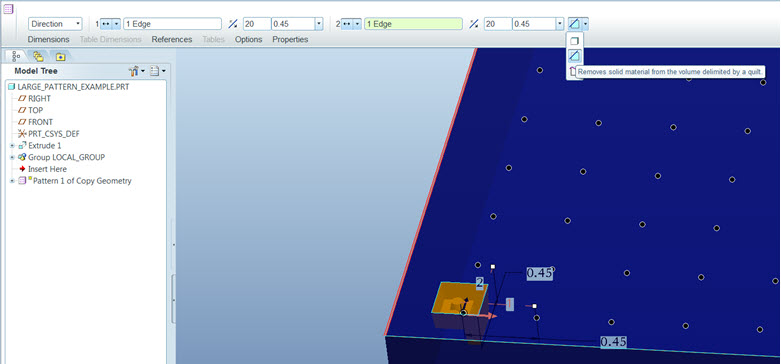
Choose the Green check  to complete the pattern. Don’t blink! In this case my pattern was created in just 7 seconds and the number of features was reduced to just less than 400!
This thread is inactive and closed by the PTC Community Management Team. If you would like to provide a reply and re-open this thread, please notify the moderator and reference the thread. You may also use "Start a topic" button to ask a new question. Please be sure to include what version of the PTC product you are using so another community member knowledgeable about your version may be able to assist.