



Incorrect import of Creo STEP file to MasterCAM
We're currently running Creo 4.0, M090 and our NC programmer is running MasterCAM 2018.
Our normal workflow is to generate STEP files of 3D contoured geometry from Creo, with wireframe and surfaces, which are then imported into MasterCAM and used to do machining programs. Lately, starting perhaps around build M060 or so, we've been having problems with the surfaces. Either they are "untrimmed", as shown in the image, or they are missing altogether.
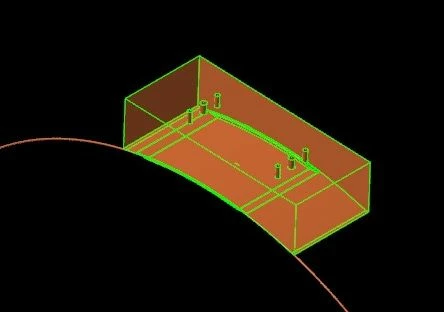 Bad MasterCAM Import
Does anyone have any insight into this problem? My clues, if you want to call them that, are:
(1) The problem models seem to generally be somewhat old design files that have been copied and subsequently manipulated to generate new designs. Perhaps there is some legacy garbage botching up the newer files?
(2) The surfaces that "fail" are, as far as I can remember, always rounds (fillets).