

17-Peridot
August 19, 2013
Question

Interesting Observation - Offset Features

I was using an offset feature to resemble a weld between a tube and a bracket.

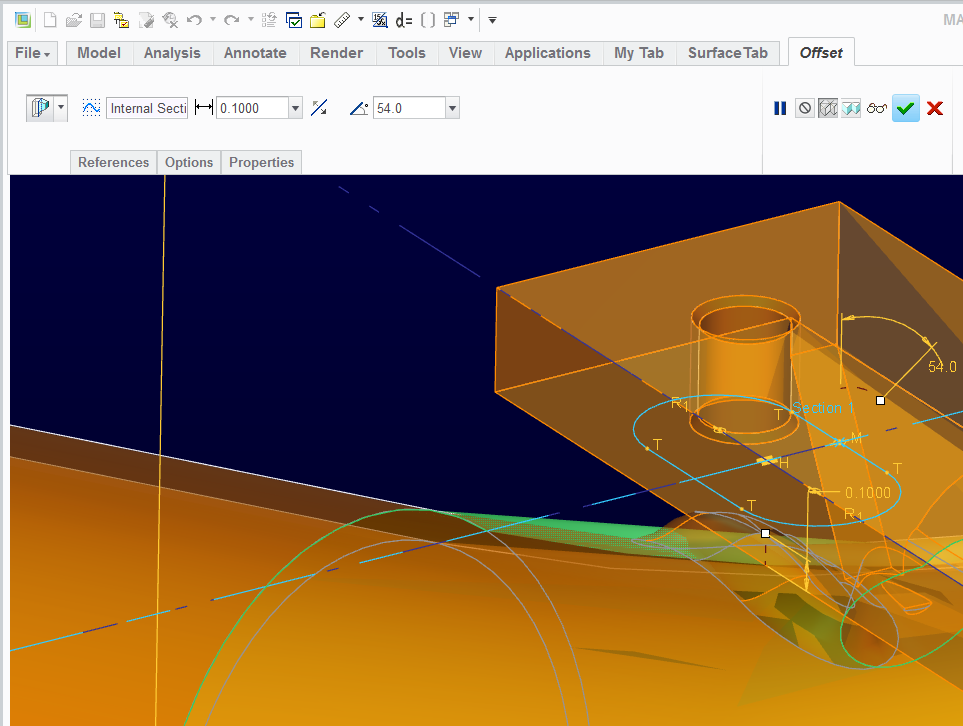
The features looks well enough in the model but there is a strange issue with and Offset feature... it doesn't merge with intersecting solids!


Here is the feature itself:
 

offset_merge_failure.PNG


Funny thing is, you can trim with extrude across the feaure and remove material.


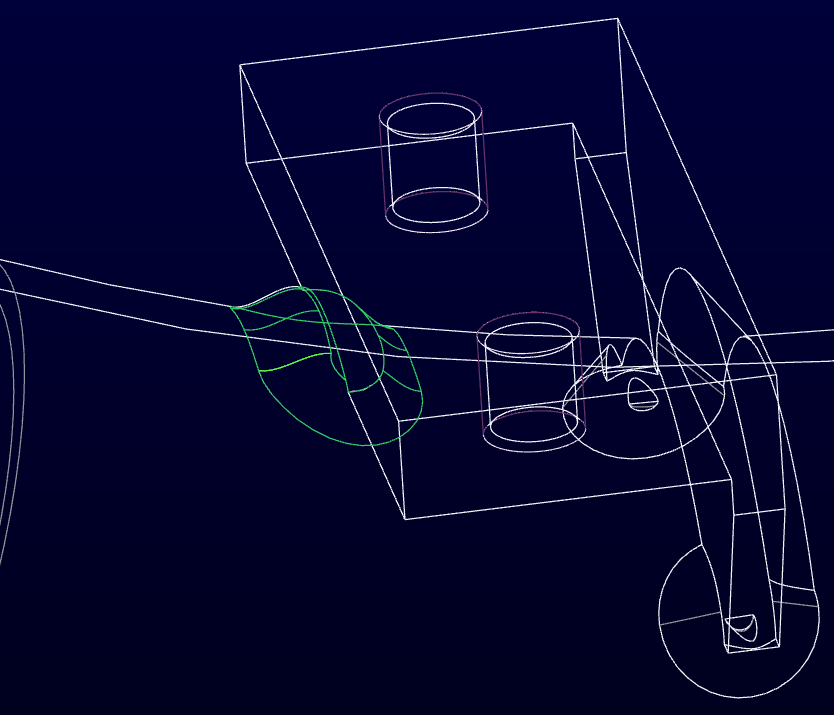
So I had to cut and refill the feature. This worked okay here but was not nearly as simple in another region.
 

offset_merge_failure2.PNG


As persistent as Creo solid models are about merging solids into a single solid part, it is odd that this particular case is ignored.


This is in Creo M040. I will probably send in a case with support on this in the near future if it is still prevalent in M070.


Have you run across this?


This thread is inactive and closed by the PTC Community Management Team. If you would like to provide a reply and re-open this thread, please notify the moderator and reference the thread. You may also use "Start a topic" button to ask a new question. Please be sure to include what version of the PTC product you are using so another community member knowledgeable about your version may be able to assist.

9 replies

17-Peridot
August 19, 2013

I have attached a quick sample file of the issue:

offset_merge_failure3.PNG

Translate
12-Amethyst
August 20, 2013

Hi Tom,

Yes this is strange. I have not used Offset in this way. I have used it countless times to do a simple offset of a surface (or quilt) and have also used it to replace a surface (but quite a while back so do not really remember it).

Essentially I found I did not understand how the other two choices in Offset worked so I did not use them.

In the example case you show it makes a solid feature but does not recognise the intersection with the other leg of the solid. It is as if it has made a surface feature but filled it from below with the surface boundary remaining in the other solid as it would if it was surface only. This is M060

As a complete change of tack how about a projected curve as the base of your weld and a sweep (for me VSS) to give the inclined wall and then use solidify? Very robust. If you are really keen you can copy the surfaces of the tube and the block then merge these to your sweep to get a surface volume which you then solidify but unless you need this volume for something it may be over the top.

Regards, Brent.

Translate
1-Visitor
August 20, 2013

Solid should find their own intersection,offset feature is like cross between surface and solid maybe that's why.just guessing.

also sometime i find need for "select offset upto or hold shift to catch the point/surface" while offsetting a curve on a plane instead of giving actual measurement.

Translate
17-Peridot
August 20, 2013

I reported it to customer service. We will see what they have to say.

I thought of a couple of ways to do this but it is a simple representation. Extrude-cut through it and refilling fixed it, but just seemed weird to have to do this. It really is a neat trick to show a weld, don't you think

In the original example, the weld is on a bend in the tube, and it is not normal to the surface. It wouldn't even let me wrap a sketch onto the surface. I had to offset the surface by zero and trim it with a revolve surface to even get an edge to sweep along. Of course, the weld feature didn't recognize this as a valid connection either.

This is how you get corrupt solids as exports. Not acceptable!

offset_merge_failure4.PNG

Translate
17-Peridot
August 20, 2013

Of course... if we -wanted- to be allowed to do this, we couldn't

Translate