

Question
Is it possible to change the colours of the parts in an assembly in Creo View Express?
Hello, everyone.
I would like to know if it is possible to change the colours of the parts in an assembly in Creo View Express.
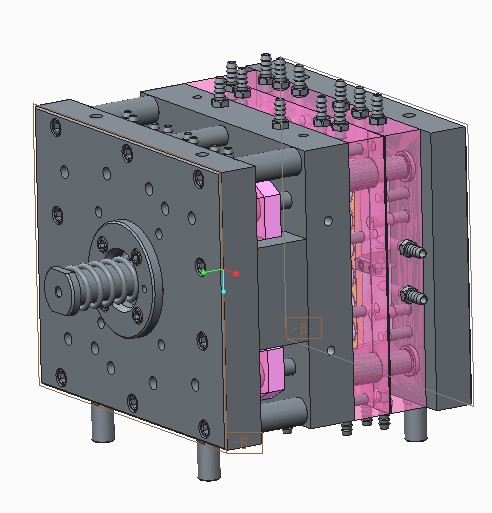
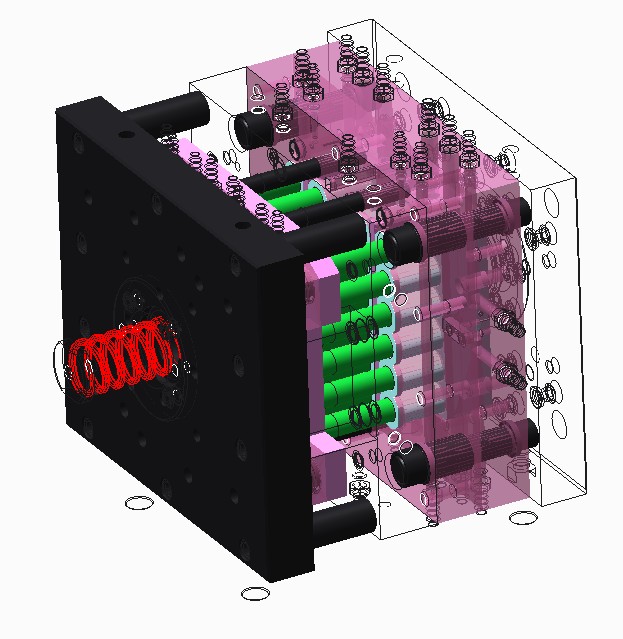
I have some problems with visualization of the plastic injection mould in Creo View Express 2.0.
The plates that were grey in Creo Parametric become black in Creo View Express. And some of them are represented in a wireframe mode.
So it's difficult to distinguish one part from another.
You can see what I mean in the pictures below.
Thanks in advance.
Vladimir.
This thread is inactive and closed by the PTC Community Management Team. If you would like to provide a reply and re-open this thread, please notify the moderator and reference the thread. You may also use "Start a topic" button to ask a new question. Please be sure to include what version of the PTC product you are using so another community member knowledgeable about your version may be able to assist.