
Solved
Items in assembly are above datum planes in assembly feature tree
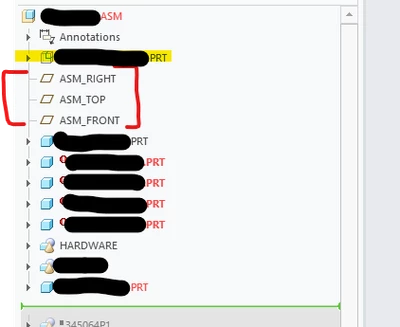
Why can I not move the yellow highlighted item to below the datum planes in this assembly feature tree? Using Creo 10.

Why can I not move the yellow highlighted item to below the datum planes in this assembly feature tree? Using Creo 10.
Enter your E-mail address. We'll send you an e-mail with instructions to reset your password.
