12-Amethyst
October 10, 2020
Question

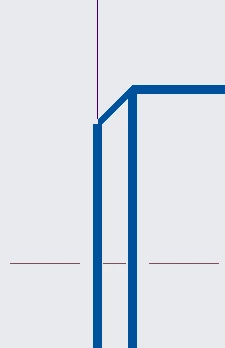
Let measurement lines go to the model

  • October 10, 2020
  • 2 replies
  • 992 views

Hey,

have a look at the following picture:
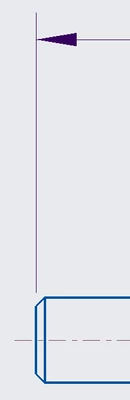
pic1.png

As you can see, the beginning of the measurement-line is not where i want it to be.
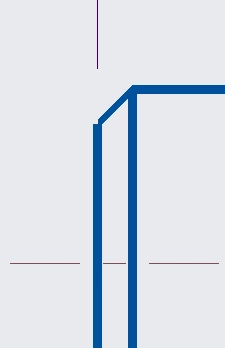
pic2.png

For me, it should look like this:

pic3.png

Is there a way to fix that?

Greetings,

Spedex


2 replies

24-Ruby III
October 12, 2020

@Spedex wrote:

Hey,

have a look at the following picture:

pic1.png

As you can see, the beginning of the measurement-line is not where i want it to be.

pic2.png

For me, it should look like this:

pic3.png

Is there a way to fix that?

Greetings,

Spedex


Hi,

1.] shown feature dimensions

Distance between feature geometry and shown dimension witness line can be set using following detail option

witness_line_offset 0

Test:

Create cylinder geometry + appropriate drawing view + show cylinder dimension.

>>> witness lines are attached to cylinder geometry ... OK

Add chamfer to the cylinder

>>> in drawing view you can see a gap between witness line and model geometry

       (because witness line is still attached to removed cylinder geometry)

2.] drawing dimensions

Distance between selected geometry and witness lines of dimension created in a drawing can be set using following detail option

witness_line_offset 0

Test: If you create drawing dimension and select appropriate references then you will get requested result.

22-Sapphire I
October 14, 2020

@Spedex 


There is an Article CS56656 for the same.