
3-Newcomer
September 18, 2023
Question

Lines/Edges appear through other parts in Assembly drawing.

  • September 18, 2023
  • 2 replies
  • 1639 views

Good day.


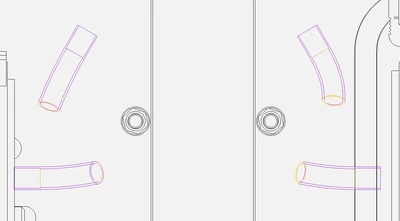
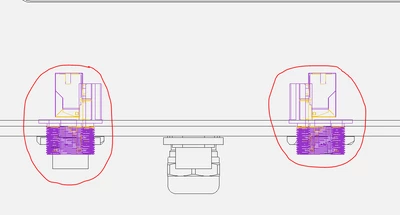
I have a problem with Assembly drawings in CREO 10.0. Some lines/edges of parts that have been imported as STEP models show up in an assembly drawing even when behind other parts.
GR_10314465_0-1695066282880.png

These tubes are heat shrink wraps on cable behind several other parts and...
GR_10314465_1-1695066361971.png

These are connectors also displaying through several other parts in the assembly.

I've tried the "Import Fix" tool etc., but with no luck.


Any advice will be appreciated.


2 replies

23-Emerald III
September 18, 2023

Hide quilts in your drawing views.

23-Emerald III
September 18, 2023

The magenta lines are surfaces that didn't convert to solid during your import. Sometimes you can fix those, but with those threaded areas, it may be a lot of trouble.

You can turn on hidden line removal in your drawing for HLR using the config.pro option hlr_for_quilts yes

Check your drawing view properties, it should show hidden line removal for quilts is set to yes

If your view is a cross section view, you will also need to edit your cross section to "include quilts". 


StephenW_0-1695067952007.png


StephenW_1-1695068044046.png