2-Explorer
February 3, 2016
Solved

linked dimensions - assembly relations

  • February 3, 2016
  • 4 replies
  • 3536 views

Hello,

I wonder if I already know the best way to accomplish this...  Here is what I am looking for:

I have an assembly with a handful of the same instance assembled individually (no pattern)

They all share the same value for an offset dimension - the offset is from another instance.  I want to manipulate one dimension and have all the others follow.

I could create a parameter and relate all the dims to that param.  But then I need to go into parameters to edit the value.

I could relate all of the dims to one instance - but then I have to remember which one needs to be edited for the change to work...

I'd really like to be able to edit any of the dims and they would all update.  Is that possible?

Thanks!

-Nate


This thread is inactive and closed by the PTC Community Management Team. If you would like to provide a reply and re-open this thread, please notify the moderator and reference the thread. You may also use "Start a topic" button to ask a new question. Please be sure to include what version of the PTC product you are using so another community member knowledgeable about your version may be able to assist.
Best answer by CoreySusie

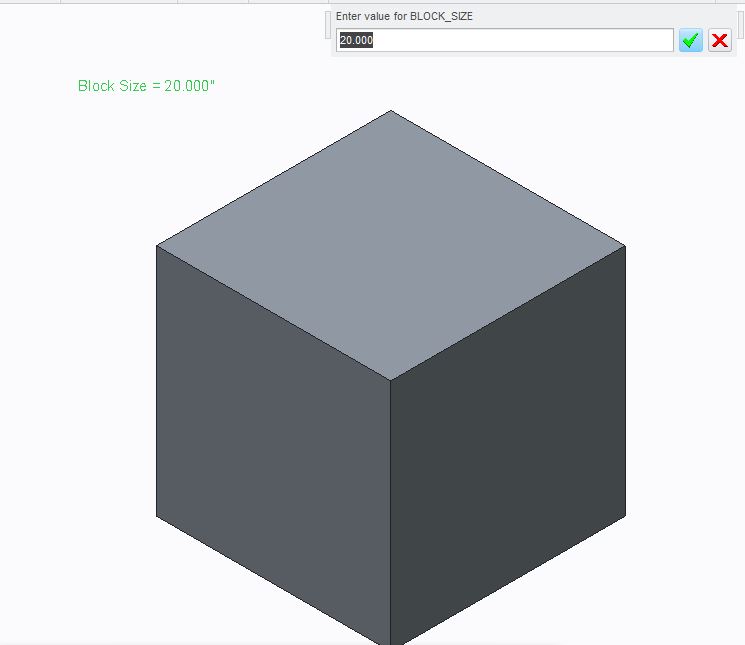
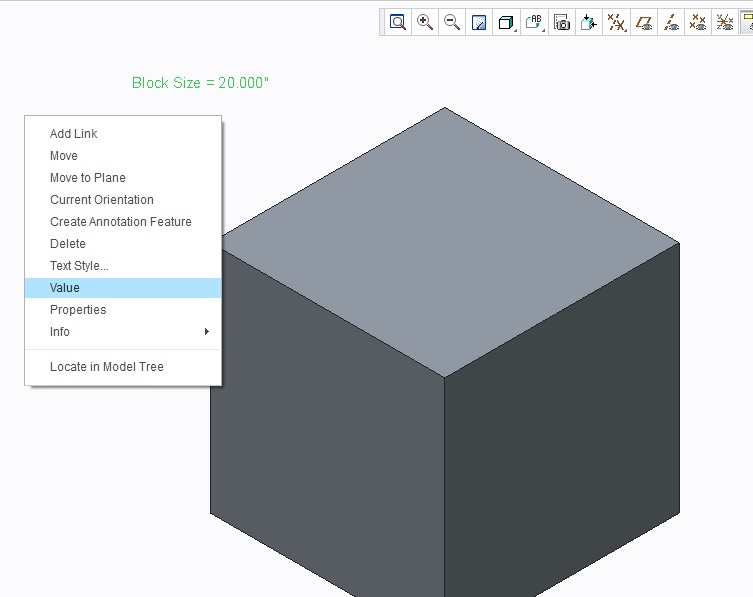
You could use your parameter method, but rather than going into parameters to edit, you could place a reported note on the screen and edit the value directly from the note.  Once you feel like you don't need the flexibility anymore you could delete the note.  In my example below I have created a "block_size" dim and in relations equated that to the 2 dims.  I can then edit the parameter directly from the note.

Note1.jpg

Note2.JPG

4 replies

1-Visitor
February 3, 2016

You could use your parameter method, but rather than going into parameters to edit, you could place a reported note on the screen and edit the value directly from the note.  Once you feel like you don't need the flexibility anymore you could delete the note.  In my example below I have created a "block_size" dim and in relations equated that to the 2 dims.  I can then edit the parameter directly from the note.

Note1.jpg

Note2.JPG

1-Visitor
February 4, 2016

To change only one offset value and have all change without having to worry about a controlling instance your going to have to use a parameter and relations. Another solution to not having to go into the parameters dialog is to add the control parameter to the model tree.

nrollins2-ExplorerAuthor
2-Explorer
February 12, 2016

Thanks for your responses...  I will check out both methods for future reference.  It seems like either would be a convenient way to edit a parameter as a design progresses.

1-Visitor
February 12, 2016

This can easily be solved using Pro/Program and relations. No need to go into parameters every time and change. During a regen you would input the value you want.