14-Alexandrite
April 3, 2020
Solved

Making a Chain Lanyard with the Sweep Tool

  • April 3, 2020
  • 2 replies
  • 2514 views

Community,


Does anyone know how to make a chain lanyard using the Sweep tool.  The type of chain lanyard I want to model is the type you see to retain electrical caps after you unscrew the cap from a port.  This way the cap is not lost.  The chain would be similar to the old "dog-tag" chain issued my the armed forces.  Thanks in advance.
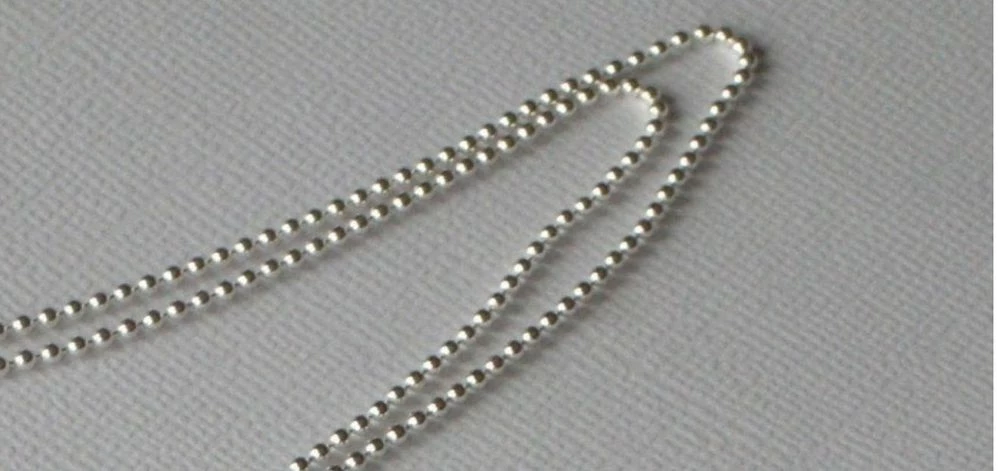


Chain LanyardChain Lanyard

Best answer by ThoRig

I was able to make the chain lanyard if the curve is on one plane, linear or curved, but not 3D.  I used the pattern on a curve feature rather than a reference.  When using more than one curve in 3D, I think will have to pattern it per curve, so if I have three curves, I will have three patterns.  I could not find a way to merge the curves, and I do not have the Reverse Engineering module.  Thanks.


chain.jpg

2 replies

tbraxton
22-Sapphire II
22-Sapphire II
April 3, 2020

A single sweep is probably not the best approach to model this. As an alternative you can define the strand that carries all of the spheres as a curve (planar, or 3D) and then do the following.


Create a datum point on the curve

Create a datum axis and plane through the point to be used to create the spheres with a revolve

Create the sphere using the pattern leader point from the first step

Group the axis, plane, and revolve used for the sphere

Pattern the datum point at intervals on the curve

Pattern the sphere group as a reference pattern

Create a sweep for the center strand using the curve as trajectory using normal to trajectory option


ThoRig14-AlexandriteAuthorAnswer
14-Alexandrite
April 6, 2020

I was able to make the chain lanyard if the curve is on one plane, linear or curved, but not 3D.  I used the pattern on a curve feature rather than a reference.  When using more than one curve in 3D, I think will have to pattern it per curve, so if I have three curves, I will have three patterns.  I could not find a way to merge the curves, and I do not have the Reverse Engineering module.  Thanks.


chain.jpg

24-Ruby III
April 6, 2020

@ThoRig wrote:

I was able to make the chain lanyard if the curve is on one plane, linear or curved, but not 3D.  I used the pattern on a curve feature rather than a reference.  When using more than one curve in 3D, I think will have to pattern it per curve, so if I have three curves, I will have three patterns.  I could not find a way to merge the curves, and I do not have the Reverse Engineering module.  Thanks.


chain.jpg


Hi,

I think you can create composite curve by merging your 3 curves.

See https://www.youtube.com/watch?v=CLbnoGmXJU0 video.

ThoRig14-AlexandriteAuthor
14-Alexandrite
April 6, 2020

I know how to do what's in the video, but the composite curve will not allow me to pattern points on the composite curve.  Nice video.  I was trying to find a way to merge curves.  Thanks.