
8-Gravel
June 25, 2025
Question

MBD: To Hide or Modify the labels related to Combined states

  • June 25, 2025
  • 2 replies
  • 757 views

I am trying to hide the labels related to active combined states like Layer state , apperanace state etc.
Also i want to modify or hide some times, the tolerance table label appears in the bottom right corner of the combined state.
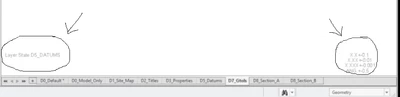
 

Karthik_1_1-1750828598415.png


But i am not able to find any options to hide or modify these labels. Is it a limitation ? or is there any settings to control it. Please guide me if someone faced this problem.

Using creo 8 


2 replies

24-Ruby III
June 25, 2025

Hi,

AFAIK reported functionality is hardcoded. You cannot change it.

Chris3
21-Topaz I
June 25, 2025

Martin is right. You can't remove it.

https://www.ptc.com/en/support/article/CS110248 


From the article - workarounds include changing the text color to be the same as the background color (still overlays on CAD models) or to use the temporary shade option (which is only temporary).

Community Moderator
July 2, 2025

Hello @Karthik_1,


It looks like you have some responses from some community members. If any of these replies helped you solve your question please mark the appropriate reply as the Accepted Solution. 

Of course, if you have more to share on your issue, please let the Community know so other community members can continue to help you.

Thanks,
Vivek N.
Community Moderation Team.

10-Marble
July 23, 2025

你想要的答案,可以按图片顺序试一下001.jpg002.jpg003.jpg004.jpg005.jpg006.jpg007.jpg