1-Visitor
September 12, 2019
Question

Metal Grating

  • September 12, 2019
  • 3 replies
  • 5870 views

Hi Creo Community,


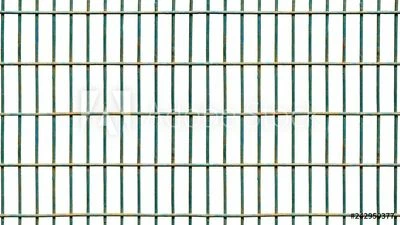
I'm running creo 5.0.4. I'm trying to make some metal grating like the pictures below. To give you an idea of scale, a single hole is about 1" wide and about 3" long. I need to create a sheet of this about 40ft long and about 10ft wide. How would you recommend doing this? is there a way to use a cosmetic feature or perhaps get creo to treat it as a single feature not 20,000 features such as in a fill pattern? Or perhaps as a material/texture?


Thanks!
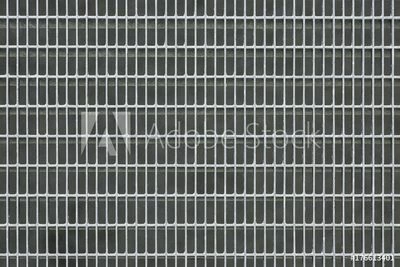
AdobeStock_176613401_Preview.jpegAdobeStock_242950377_Preview.jpeg

3 replies

23-Emerald III
September 12, 2019

What do you intend to do with the file? Just a pretty picture or something that will be cut and mated to a structure?

1-Visitor
September 12, 2019

Hi BenLoosli,


I have a big part part (see below) that needs to have this grating across the entire top where the yellow solid plate is shown. I can add it to this part or can create a new part and add it into an assembly. Image 1.jpg

15-Moonstone
September 12, 2019

One way to actually model this would be to use geometry pattern and even a pattern of a pattern. I'm attaching a brief presentation I did on this. It's from an old version of Pro/E so you'll have to forgive the actual GUI selections.

1-Visitor
September 12, 2019

WOW! Awesome, I will try this out. Thanks for the tip!

1-Visitor
September 12, 2019

Another time saver in newer releases of Creo, (I'm using Creo 4.0 M140), is the "identical" option. This alone cut over 75% from regen time in large patterns. (See attachment)

kdirth
21-Topaz I
21-Topaz I
September 13, 2019

I came across a method referred to as turbo pattern.  This helps a lot with regeneration of complicated feature patterns.  Should help with simple ones also.


TURBO PATTERN (Patterning complicated features without overly slowing regeneration)

  • Create single feature
  • Copy surfaces down to base of feature
    • Hint: Select single surface on feature, hold shift and select bounding surface(s) and release shift. This should select all of the surfaces of the feature.
  • Pattern surface copy
  • Solidify original surface copy
  • Pattern solidification
There is always more to learn.
15-Moonstone
September 13, 2019

this is exactly what the Geometry pattern does except that it waits to do the solidification till the end because that is actually the slowest part of feature creation.