11-Garnet
June 20, 2020
Solved

ModelCheck reporting no issues & not appearing in browser

  • June 20, 2020
  • 1 reply
  • 6751 views

Hi, 

I'm trying to configure modelcheck to add 2x parameters to every model in a large assembly. 


I have model update set to Y, so model check is 'allowed' to modify the models to add params:
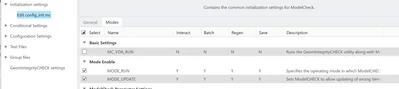
Fianna_0-1592638564822.png


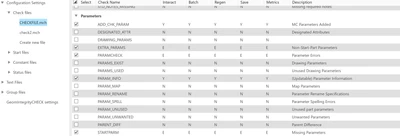
I have PARAMCHECK set to error: 

Fianna_1-1592638661705.png

And I have added parameters for it to check against: 
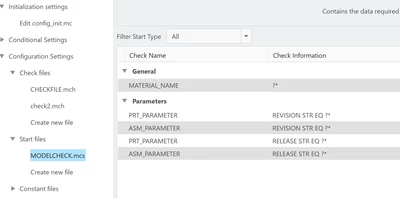
Fianna_2-1592638701843.png


But whenever I run the modelcheck regen or interactive, it reports 0 errors 0 warnings.
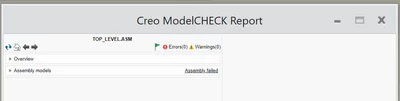
Fianna_3-1592638753368.png


On that note, It's also appearing in the white box of the RHS of the screen but not in the in-built browser. I have used modelcheck in the grey/tan in-browser context before but have never seen that window/context appear on this computer, I've only ever had the white box. 

I do have "Show Report" set to Y, which I thought would make it appear in the browser but it's not working. 
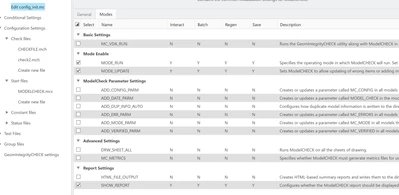
Fianna_4-1592638855971.png


Can anyone shed some light on this please? I don't fancy having to manually define the parameters in every single part/aseembly


Thanks

Best answer by Mahesh_Sharma

@Fianna 


Files are configured correctly as these files are working for me without any changes. I think you need to check conditions (conditions.mcc) as conditions might be missing these files. Review your condition.mcc or share

1 reply

Mahesh_Sharma
22-Sapphire I
June 22, 2020

@Fianna


Can you share your ModelCHECK files?

Fianna11-GarnetAuthor
11-Garnet
June 22, 2020

Hi Mahesh, 

Zip attached, It wouldn't accept mcs or mch file extensions as attachments here

Mahesh_Sharma
22-Sapphire I
June 22, 2020

@Fianna 


Files are configured correctly as these files are working for me without any changes. I think you need to check conditions (conditions.mcc) as conditions might be missing these files. Review your condition.mcc or share