
1-Visitor
December 9, 2022
Solved

Modify ANSI Tolerance Table

  • December 9, 2022
  • 2 replies
  • 1983 views

Is there a way to modify the standard tolerance table within CREO Parametric 5.0.6?  I believe these tolerances are within the ANSI tolerances, 


I want to update the X.XXX tolerance to be ±.003 instead of ±.001 by default.  And of course, different products will require a different default tolerance.  
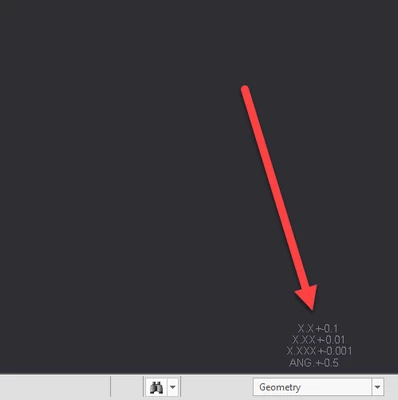
JA_9154672_1-1670618248021.png


Thank You,


Best answer by VladimirN

1. There was a similar question before - "How to change default tolerance value in drawing": https://community.ptc.com/t5/3D-Part-Assembly-Design/how-to-change-default-tolerance-value-in-drawing/td-p/299696

2. Article - "How to add a tolerance standard to a model in Creo Parametric": https://www.ptc.com/en/support/article/CS212303

2 replies

VladimirN24-Ruby IIIAnswer
24-Ruby III
December 10, 2022

1. There was a similar question before - "How to change default tolerance value in drawing": https://community.ptc.com/t5/3D-Part-Assembly-Design/how-to-change-default-tolerance-value-in-drawing/td-p/299696

2. Article - "How to add a tolerance standard to a model in Creo Parametric": https://www.ptc.com/en/support/article/CS212303

24-Ruby III
December 12, 2022

Hi,

please contact PTC Support.