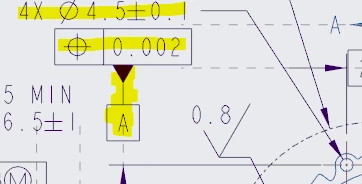
Moving Datum Tag to a Note in drawing
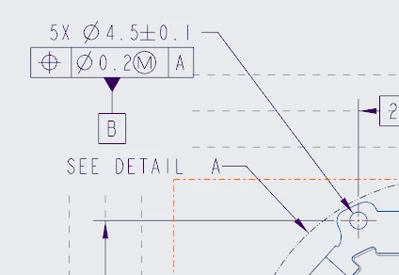
I'm trying to relocate (move!) the datum tag from the hole to the note:
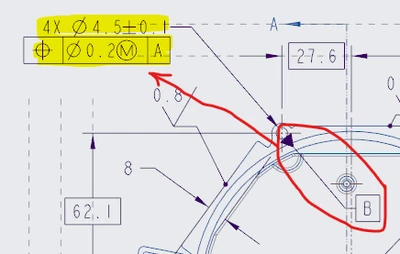
Similar to this view:
I'm using version 7.0.9.0
Thanks In Advance (TIA)
Merl

I'm trying to relocate (move!) the datum tag from the hole to the note:

Similar to this view:

I'm using version 7.0.9.0
Thanks In Advance (TIA)
Merl
FINALLY found a "solution"; multi-stepped as it is:
1. Using a model dimension (may or may not work for a drawing dimension).
2. Add a drawing GD&T control frame (Geometric Tolerance)
; attach to dimension in Step #1.
3. Add a drawing GD&T datum target (Datum Feature Symbol)
; *IMPORTANT* when attaching, or selecting point on screen, select the control frame made in Step #2.
=> 
Special thanks to coworker who played with my left-handed mouse and figured this problem out!
Thanks to everyone else who tried!
Merl
Enter your E-mail address. We'll send you an e-mail with instructions to reset your password.