Solved
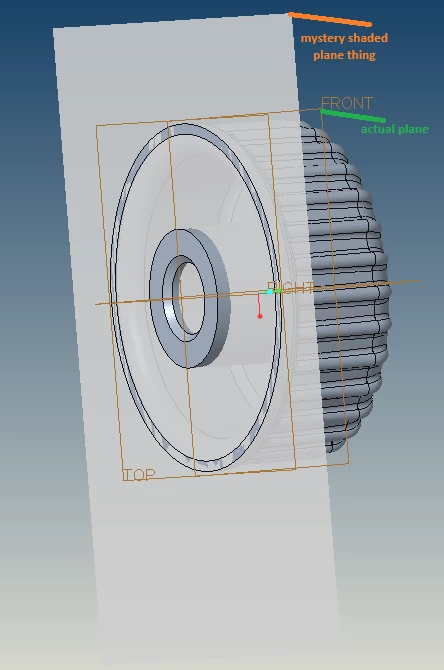
Mystery shaded plane "thing"
I have a model from a previously released Assembly that has a mystery shaded plane "thing"...it is not a plane, not selectable, not in the model tree, not in any layer including solids, is shown in everything: the drawing, assembly, the generic prt and both family table prts: which indicates the item is not formed on the asm or only on a family table prt (must be on the generic). I need it hidden. Also - how on earth is this possible? I have tried hiding everything in the layer and model trees...everything including the solids...it always stays. It is NOT shown if I switch to a non-shaded view on the drawing only (remains no matter the view in the open model).
Creo 9.0.3.0.