
15-Moonstone
January 21, 2020
Solved

Need to know how to get text height correct coming from Drawing Format

  • January 21, 2020
  • 2 replies
  • 3079 views

I don't do to many drawings, when I do it's painful.


In this case another user built a drawing format that is unusable due to text sizes coming across incorrectly.
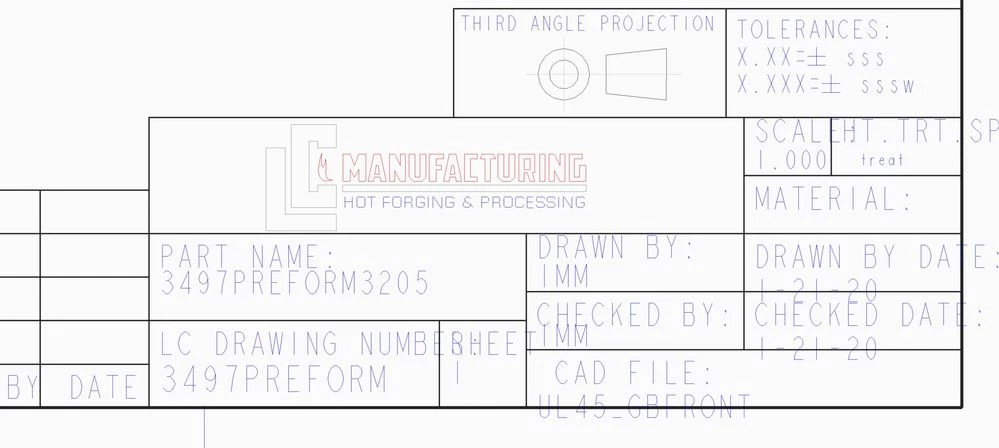
a format start.JPG

As you can see when I start a new drawing most of the text comes across at the same size but not exclusively so.  The format for this title block looks fine.  I know for a fact that the text height changes when you begin a drawing based off the drawing format.  What would I need to do to get this under control? 

Best answer by TomU

Switch to 'Table' tab, pick a table cell, right click, 'Properties'.

2 replies

23-Emerald IV
January 21, 2020

@pimm wrote:

I know for a fact that the text height changes when you begin a drawing based off the drawing format? 


This is probably due to some of the text heights in the format being set to 'Default', meaning they will automatically track the default text height for that drawing instead of using a fixed value.


TomU_0-1579635117993.png


pimm15-MoonstoneAuthor
15-Moonstone
January 21, 2020

Hi Tom,


This is very strange.  I can't even find the heading of Note Properties so I can verify this.

TomU23-Emerald IVAnswer
23-Emerald IV
January 21, 2020

Switch to 'Table' tab, pick a table cell, right click, 'Properties'.

24-Ruby III
January 22, 2020

Hi,

your problem may also be because your Creo installation does not contain the font used by the author of the drawing format.