

4-Participant
March 19, 2024
Solved

No distinct pieces in model... what does this mean?

  • March 19, 2024
  • 1 reply
  • 3005 views

Can anybody give me some advice on what "No distinct pieces in model" exactly means?  We are Using CREO 7.0.6.0


Best answer by tbraxton

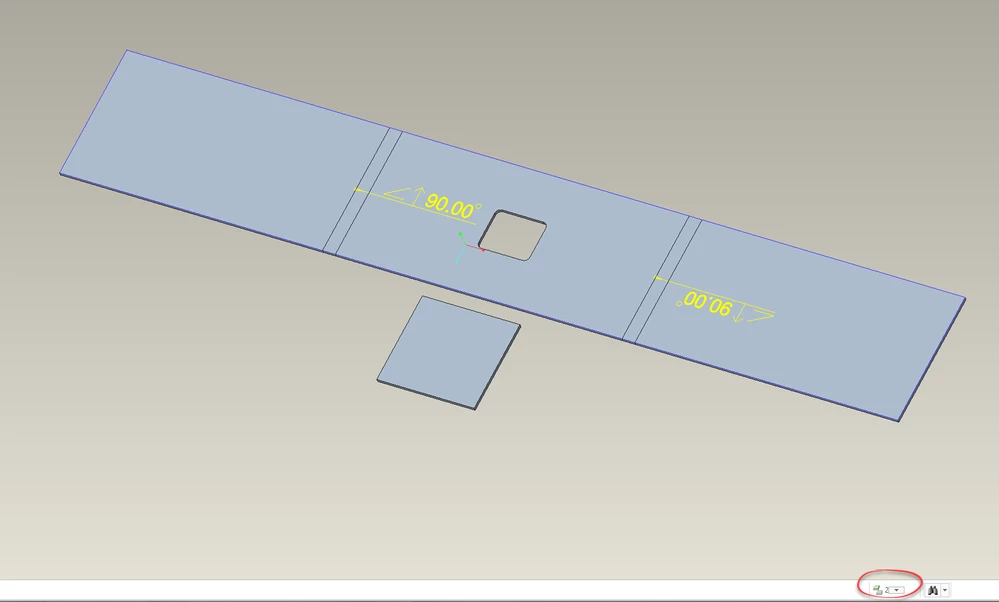
You have one continuous piece as shown in the picture of your model. There is only one piece. Here is a picture of a model with two pieces and how the icon indicates this. This is in sheetmetal mode in Creo 7.
 

tbraxton_0-1710936471305.png


1 reply

tbraxton
22-Sapphire II
March 19, 2024

In sheet metal mode it means there are not two (or more) distinct solid geometries that are not connected.


Refer to this section of the help files (typically incomplete treatment of the topic):


Working with Two or More Distinct Pieces (ptc.com)

ewhitaker4-ParticipantAuthor
4-Participant
March 19, 2024

Could you explain exactly what entails "two (or more) distinct solid geometries that are not connected"?  The model tree below has extrude 1 and 2 which are a connected body and we are still receiving the error.  I would think this is distinct geometry.

ewhitaker_0-1710878748531.png


tbraxton
22-Sapphire II
March 19, 2024

You are still not providing enough information to troubleshoot this efficiently. What version of Creo are you using? Post the model here for review.