Question
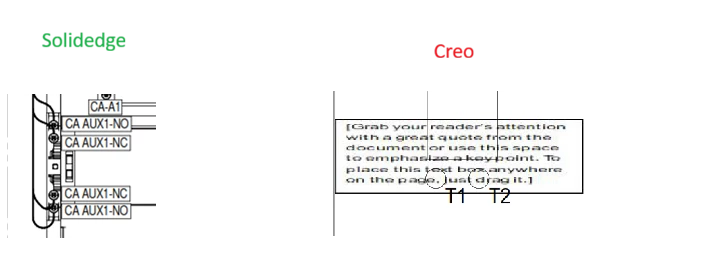
Not able to Hide Model View lines using Hatches/images in Creo
I am trying to add some labels in Creo drawing view. I tried square box with filled hatching and Image placement. Don't want to generate 3D file for this labels , just for drawing view.
Both way it is still showing lines behind hatching and image in PDF export.
When i generate symbol, it hides model lines in Creo , but when exported to PDF it wont hide lines and they still show.
Anyone knows any other solution ? Response much appreciated.
Creo doesn't have Text with filled background option.
It is possible in Solidedge but not able to do it in creo.