1-Visitor
April 7, 2017
Solved

offset lines how do you get them to display in the drawing view ?

  • April 7, 2017
  • 2 replies
  • 14798 views

Hi All

I working on Creo 3  build  m120  can create  in model exploded view but will not appear in the drawing view

Best answer by kai-2

Hi,

Please refer to the following steps.

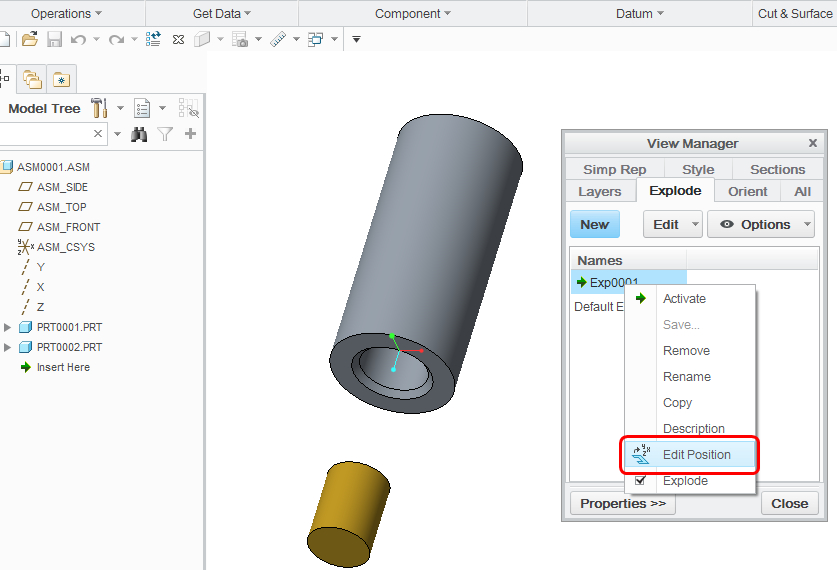
1. Edit position

1.jpg

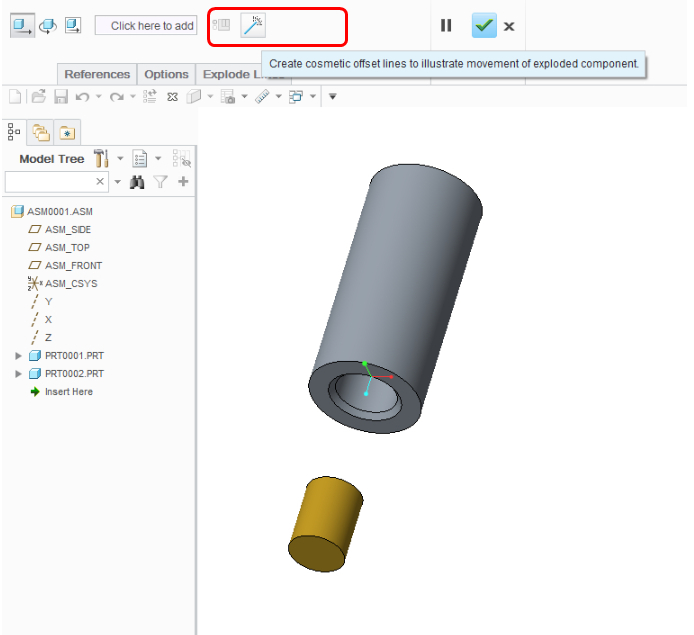
2.Click Explode Lines , Create Cosmetic Offset Line.


( To Create Cosmetic Offset Lines =>Creo Parametric Help Center )

2.jpg

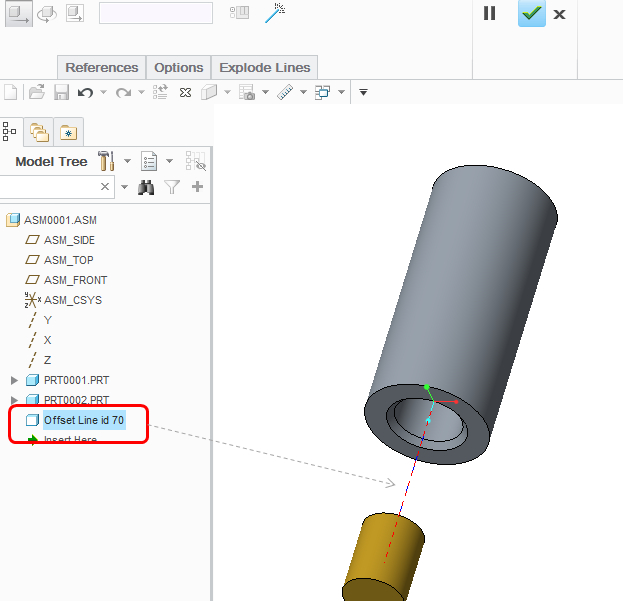
3.Add the offset line .

3.jpg

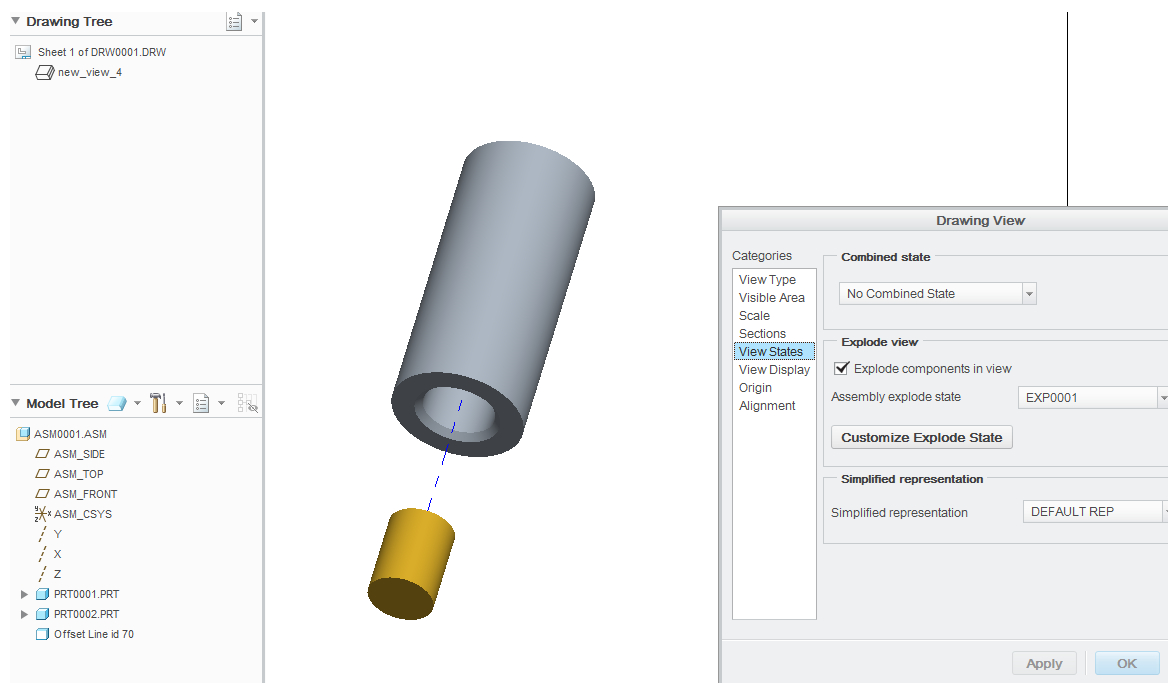
4.Add 2D Drawing View

4.jpg

Past discussion =>Exploded View Offset Lines not showing in Drawings

2 replies

kai-21-VisitorAnswer
1-Visitor
April 10, 2017

Hi,

Please refer to the following steps.

1. Edit position

1.jpg

2.Click Explode Lines , Create Cosmetic Offset Line.


( To Create Cosmetic Offset Lines =>Creo Parametric Help Center )

2.jpg

3.Add the offset line .

3.jpg

4.Add 2D Drawing View

4.jpg

Past discussion =>Exploded View Offset Lines not showing in Drawings

kdirth
21-Topaz I
21-Topaz I
March 23, 2021

They should show up when you set the view state to the explode state they are defined on.  Also, insure they are not on a layer or the layer is not hidden.

There is always more to learn.