
16-Pearl
March 11, 2020
Question

paste Special

  • March 11, 2020
  • 1 reply
  • 2579 views

I have some features in one part that have inside one of them, some relations.
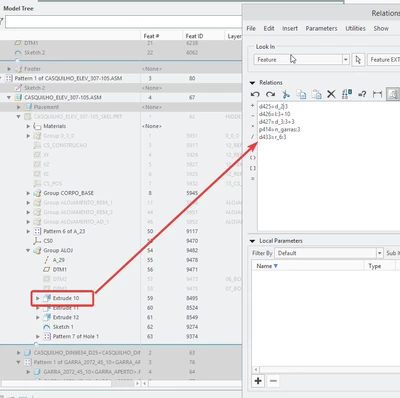
T_F_0-1583919898571.png


Now in an assembly, I copied and made the paste special, the same features to other part. after having made the advanced reference configuration, and all the features pasted to the new part, I visited the relation to the corresponding extrude, and there wasn't any relations inside.
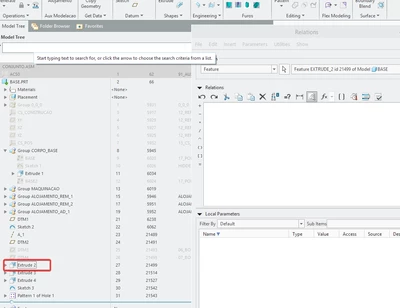
 

T_F_1-1583920166213.png


My question is, how can i copy those features, and bring the needed relations to the other part, without losing the relations?


1 reply

16-Pearl
March 21, 2020

Hi T_F


I think what you are asking for is not possible in Creo Parametric.

in your relations there are dimensions involved. When you copy a function from  part1 to part2 with paste special, the dimensions in part2 will not have the same reference:

d16.png

In my example I copied the cylinder, in part1 the radius is d16 and in part2 the radius of the cylinder pasted changed to d15...


T_F16-PearlAuthor
16-Pearl
March 21, 2020
And do you have any suggestions about it?
I remember when I used solid works, more than 10 years ago, that there as something called smart parts, and smart assemblies, where I could have some features in memory, that when I assembled a part in an assembly I could recreate the needed features to fit the parts, like holes pockets, with just one click. I was trying to do the same with copy paste. Do you know how can I do this?
15-Moonstone
March 25, 2020

Have you looked at UDFs (User Defined Features)? That might be the functionality you're looking for. You can get feature-level relations in these. Search for "Creo UDF" at YouTube and you'll find a lot of examples and tutorials.