

14-Alexandrite
January 10, 2017
Solved

Photo-Realistic Rendering in Creo 4.0 F000 is not starting

  • January 10, 2017
  • 2 replies
  • 5170 views

Hi!


does anyone successfully run Photo-Realistic Rendering in Creo 4.0 F000???


When I press at button PR_Button.PNG no action happen???
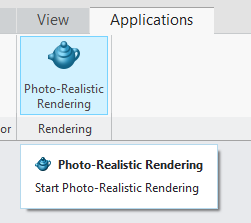
 

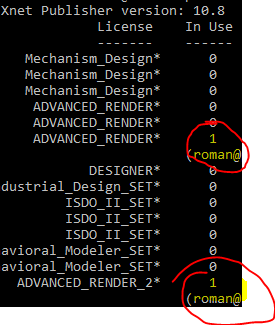
I tried with both advance renderer licenses I got and no positive results - only license visible consumption ;-(
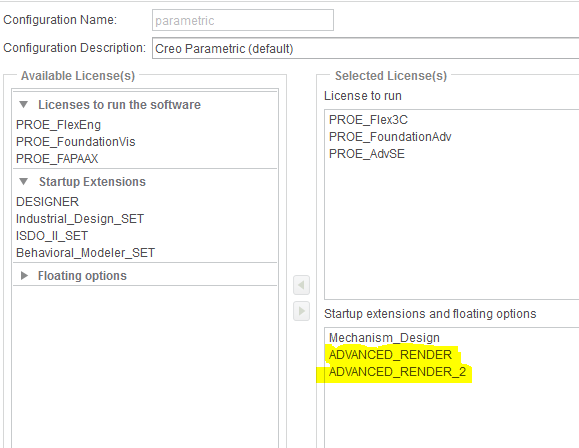
AR.PNG

ARL.PNG


is this a bug in this first F000 release of Creo 4.0?

Best answer by AmitDeshpande

The Photo-Realistic Rendering requires the Advanced Render III license.  This is a known issue and Tech Support has filed SPR 6327272 against the lack of a missing license message when attempting to access this function.

Refer to article CS253200 for additional information.  If you are unable to access the article, please first create an account here.

2 replies

23-Emerald III
January 10, 2017

There was a long discussion here Re: Creo 4 Photo-Real Rendering - Anyone Try yet?

Maybe a license update is needed.

rsobecki14-AlexandriteAuthor
14-Alexandrite
January 11, 2017

Thanks for your feedback - we'll investigate and check if license update will help!

18-Opal
January 24, 2017

The Photo-Realistic Rendering requires the Advanced Render III license.  This is a known issue and Tech Support has filed SPR 6327272 against the lack of a missing license message when attempting to access this function.

Refer to article CS253200 for additional information.  If you are unable to access the article, please first create an account here.

rsobecki14-AlexandriteAuthor
14-Alexandrite
January 25, 2017

You are right - I can confirm this - thanks!

only pity is if I'm accessing my machine using remote desktop, Creo crash when I click at Photo-Realistic Rendering

Perhaps it is because as I'm guessing hardware accelertion is set to off or something...