14-Alexandrite
February 8, 2024
Solved

PLACEMENT OF DIMENSIONS IN DRAWING VIEWS

  • February 8, 2024
  • 1 reply
  • 2586 views

Hi everyone,


how can I replace a dimension on the view that I want, instead of the view proposed by creo?


Best regards.


Michele Barile


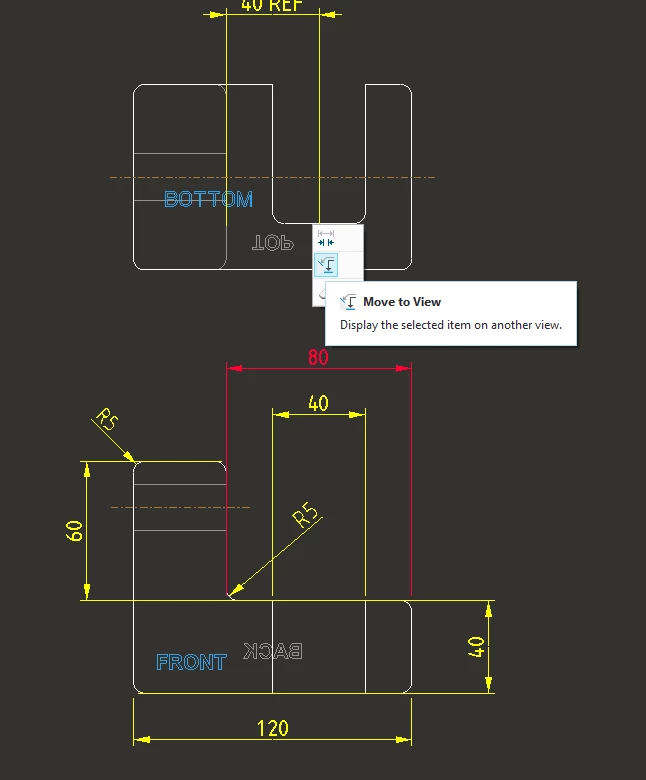
I want to place the dimension proposed by this command, but not in this view, in another view.
 

MB_10508968_1-1707392346383.png


Best answer by tbraxton

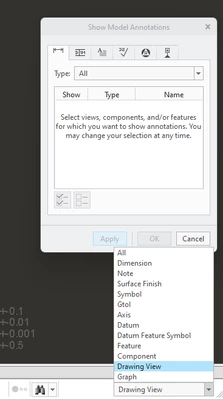
You can use the option shown below to move a dimension to another view. Select the dimension and then you should see the options. When showing annotations, you can select the view in which the dimensions are shown as well. Refer to the second picture showing how this is done. You can select the view in which you want the dimensions displayed before showing them when using this method.


tbraxton_0-1707394050398.png

tbraxton_1-1707394304957.png


1 reply

tbraxton
22-Sapphire II
tbraxton22-Sapphire IIAnswer
22-Sapphire II
February 8, 2024

You can use the option shown below to move a dimension to another view. Select the dimension and then you should see the options. When showing annotations, you can select the view in which the dimensions are shown as well. Refer to the second picture showing how this is done. You can select the view in which you want the dimensions displayed before showing them when using this method.


tbraxton_0-1707394050398.png

tbraxton_1-1707394304957.png


14-Alexandrite
February 8, 2024

Thanks ,


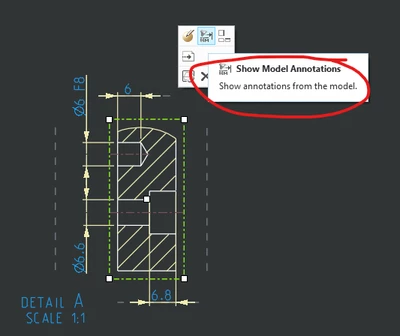
and If I want to move the dimension on an identic hole, in the same view but in a better position?


MB_10508968_0-1707401101267.png


tbraxton
22-Sapphire II
22-Sapphire II
February 8, 2024

Difficult to provide an exact set of instructions for this. It depends on the method used to create the dimension initially. Is the hole patterned, how was the dimension added in the model or feature etc.


If you can post the model, that would be helpful. If not try to explain in detail the nature of the dimension and how it is placed in the dwg.