

Print texts and entities in drawings
What do I need:
Text Height 3,5 mm → Thickness 0.35 mm
Text Height 5 mm → Thickness 0. 5 mm
Text Height 7 mm → Thickness 0.7 mm
Drawing with different text and sketched entities:
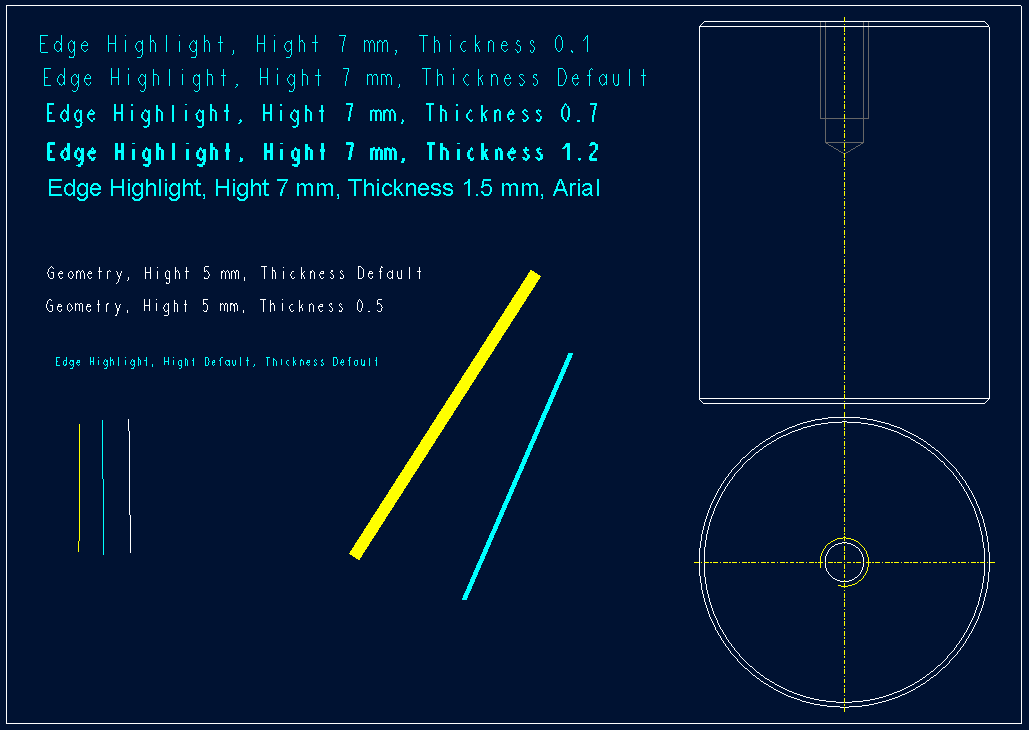
Printed drawing with using pentable:
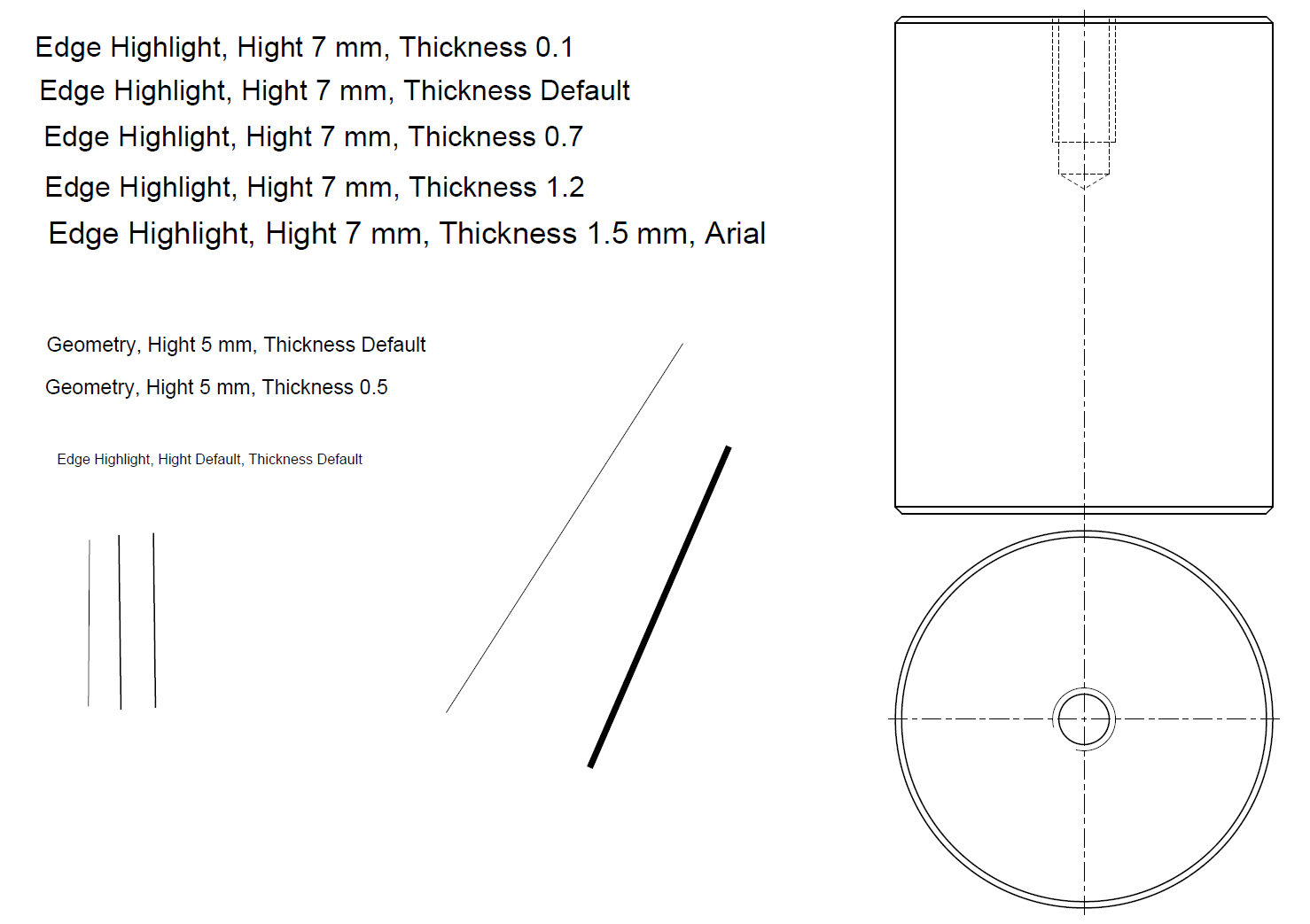
Printed drawing without using pentable:
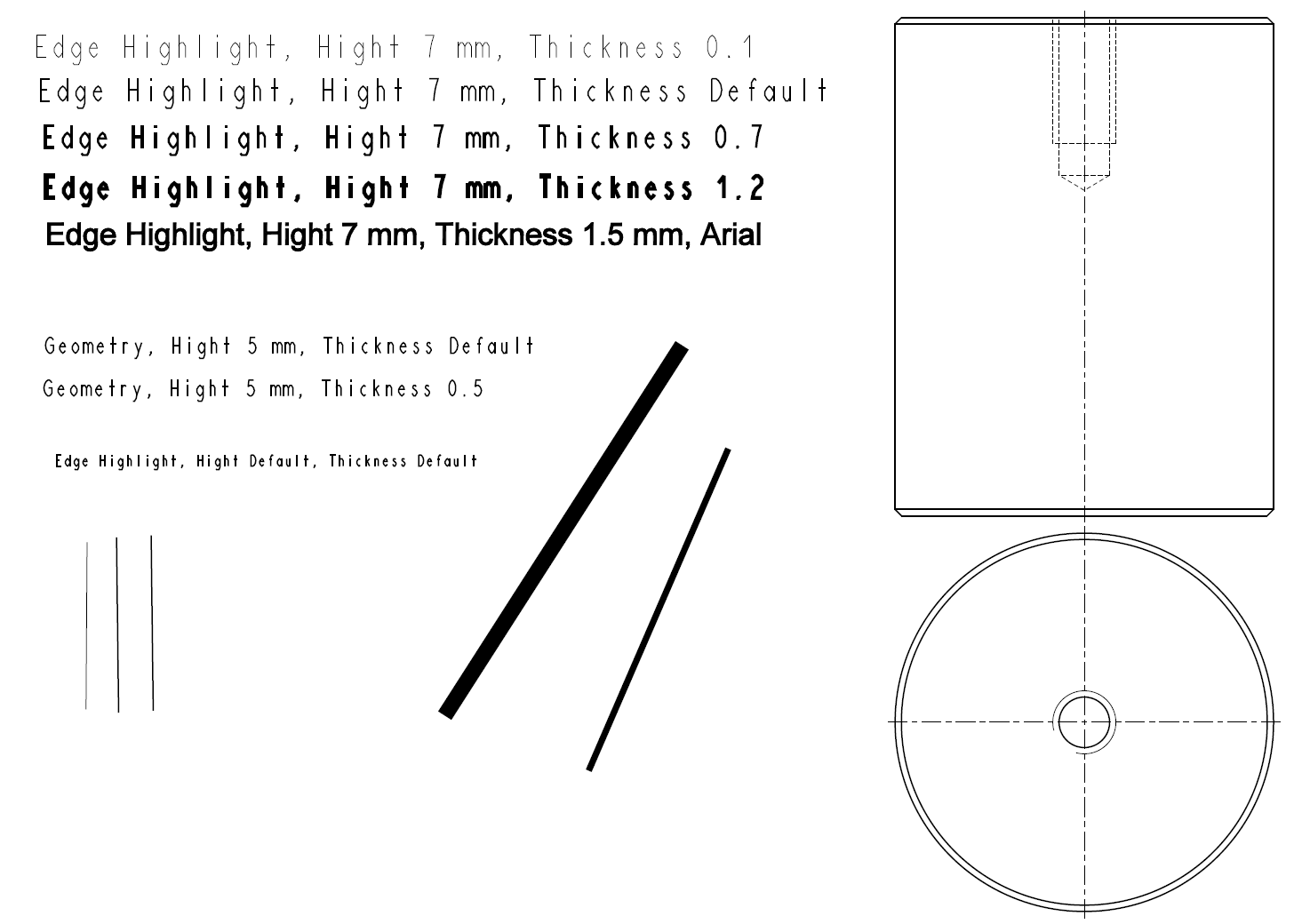
I woul like to use Default Thickness for edge_highlight_color 0. 35 mm (text and sketched entities):
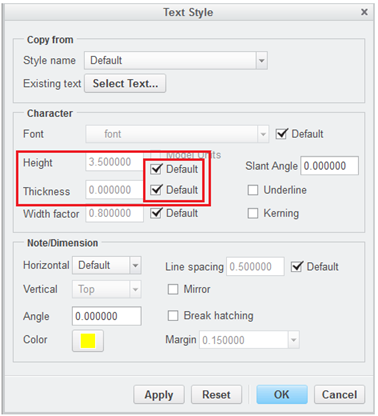
and make individual settings for:
Text Height 5 mm → Thickness 0. 5 mm
Text Height 7 mm → Thickness 0.7 mm
Sketched entities:
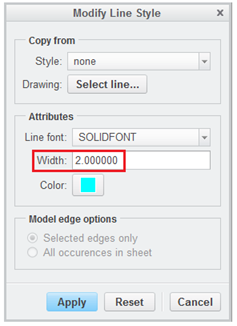
If I do not change settings for Width - use pen table file
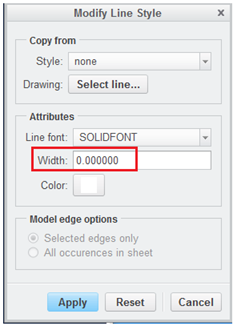
If I change settings for Width - use the set thickness
Suggestion for improving:
When using default Thickness for text and Width 0,00 for sketched entities in drawing,
use pen table file for printing.
When using non default thickness for text or sketched entities in drawing,
use this set thickness for printing.
Note:
Now, If I need to set a different thickness for text, I have to set:
1. Modify Pen table file
Delete thickness value for pen 8 (inside the file drw.dtl is set drawing_text_color to edge_highlight_color)
2. Settings for printing
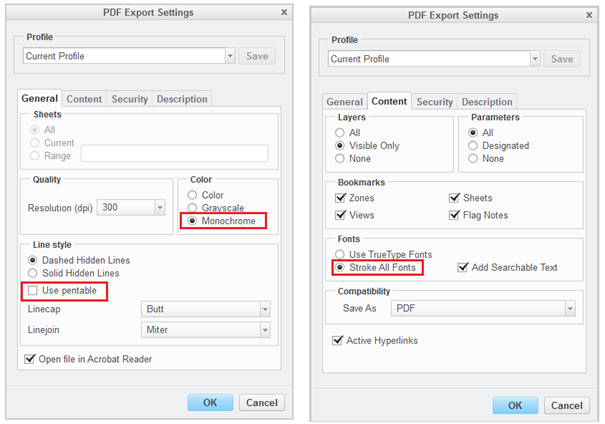
But there is problem with default
thickness for text (edge_highlight_color), Creo prints this text same as
geometry. For this color I need default thickness 0.35 mm. The same problem is
for sketched entities.
This thread is inactive and closed by the PTC Community Management Team. If you would like to provide a reply and re-open this thread, please notify the moderator and reference the thread. You may also use "Start a topic" button to ask a new question. Please be sure to include what version of the PTC product you are using so another community member knowledgeable about your version may be able to assist.