4-Participant
June 3, 2024
Solved

Problem with using distributed batch - symbol corrupted / becoming box

  • June 3, 2024
  • 2 replies
  • 3165 views

Hi everyone

I was trying to use distributed batch to export form .drw to .pdf.
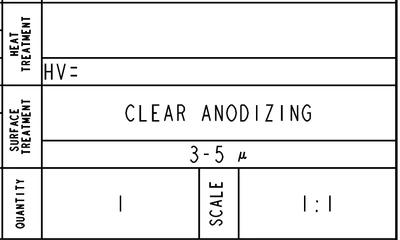
I faced a problem that this symbol can't show up properly while using distributed batch feature
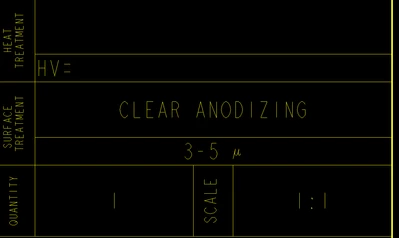
AE_11094251_0-1717401688059.png

How it looks in .drw

AE_11094251_1-1717401735601.png

When I export in manually, one by one
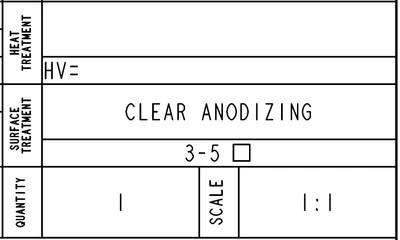
 

AE_11094251_3-1717401792574.png

When I try to use distributed batch.


Everything is ok except this one. Glad anyone can help me.
Thanks in advance.

Best answer by MartinHanak

@AE_11094251 wrote:

Here are these 3 files. 
Does I need to modify something?


Hi,

INFO >>> files packed font.zip file are not modified.


I am sorry I do not have any idea how it is possible that you can see Mu character when you open prt0001.drw.1 drawing. It is possible that your Creo installation is modified in some unusual way.


Please place following note on the drawing. Do you see Mu character or square ?

MartinHanak_0-1717740616645.png

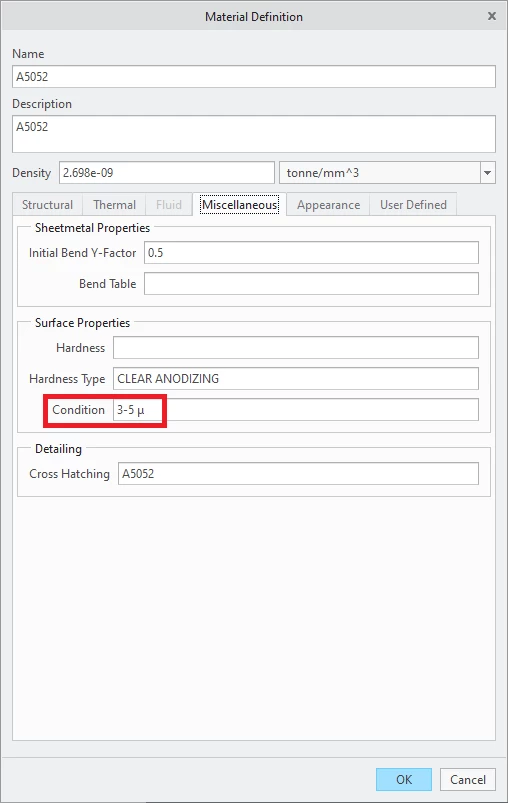
PROE_MAT is model parameter. Its value is defined by model relation PROE_MAT=MATERIAL_PARAM("condition").

condition value is located in material definition saved in model.

MartinHanak_1-1717740789668.png


2 replies

24-Ruby III
June 3, 2024

Hi,

1.] please upload test drawing (packed in zip file)

2.] what font do you use to display greek mu character ?

3.] what Creo version do you use ?

4.] what ttd file do you use do export PDF ?

4-Participant
June 4, 2024

Here is it, I attach .drw .prt .frm and .ttd as an example.
I use Creo7 version.
I don't know about the font. It was set a long time ago by senior worker. May you check it, refer in the file?

Thank you

24-Ruby III
June 4, 2024

@AE_11094251 wrote:

Here is it, I attach .drw .prt .frm and .ttd as an example.
I use Creo7 version.
I don't know about the font. It was set a long time ago by senior worker. May you check it, refer in the file?

Thank you


Hi,

I opened your prt0001.drw and I can see your "picture no.3".

  • when I display text properties of problematic cell I can see that text is displayed using font named font
  • font named font does not contain definition of Mu letter ... therefore the square is displayed
  • when I set different font I can see Mu letter ... replay uploaded font_assignment.mp4 video


Community Manager
June 10, 2024

Hello @AE_11094251,


It looks like you have some responses from some community members. If any of these replies helped you solve your question please mark the appropriate reply as the Accepted Solution. 

Of course, if you have more to share on your issue, please let the Community know so other community members can continue to help you.

Thanks,
Community Moderation Team.