12-Amethyst
April 24, 2025
Solved

Process plan display instructions

  • April 24, 2025
  • 2 replies
  • 731 views

Hi,

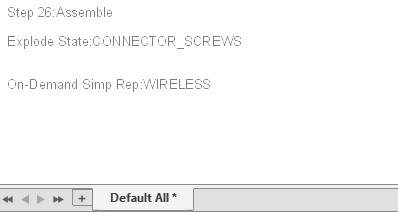
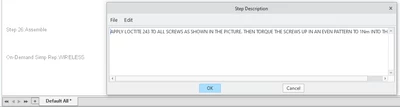
My company uses Creo AAX to make assembly guides which I have self-taught myself how to do them. I am using Creo 10.0.6.0 and wanting to know if there is a setting that allows me to see the instructions in the bottom left of the model area, it only shows the step number, exploded state and simple rep. I would like to see the description whilst building the guide to quickly see if it makes sense, sure I can edit the step then edit the description to see the description but that can build up as our guides vary in length 8 steps all the way to 28 steps.

I want to show this without editing the description
MB_10049474_1-1745507814778.png

so that it appears in this view

MB_10049474_0-1745507795733.png

Is this possible?

Best answer by MB_10049474

This is not part of Creo functionality it would be nice to have though

2 replies

Community Moderator
April 28, 2025

Hi @MB_10049474,

Thank you for your question. 

Your post appears well documented but has not yet received any response. I am replying to raise awareness. Hopefully, another community member will be able to help.

Also, feel free to add any additional information you think might be relevant. It sometimes helps to have screenshots to better understand what you are trying to do. 


Regards,

Anurag 

MB_1004947412-AmethystAuthorAnswer
12-Amethyst
May 28, 2025

This is not part of Creo functionality it would be nice to have though