12-Amethyst
December 17, 2025
Solved

Projection of multiple edges

  • December 17, 2025
  • 2 replies
  • 281 views

Hello,


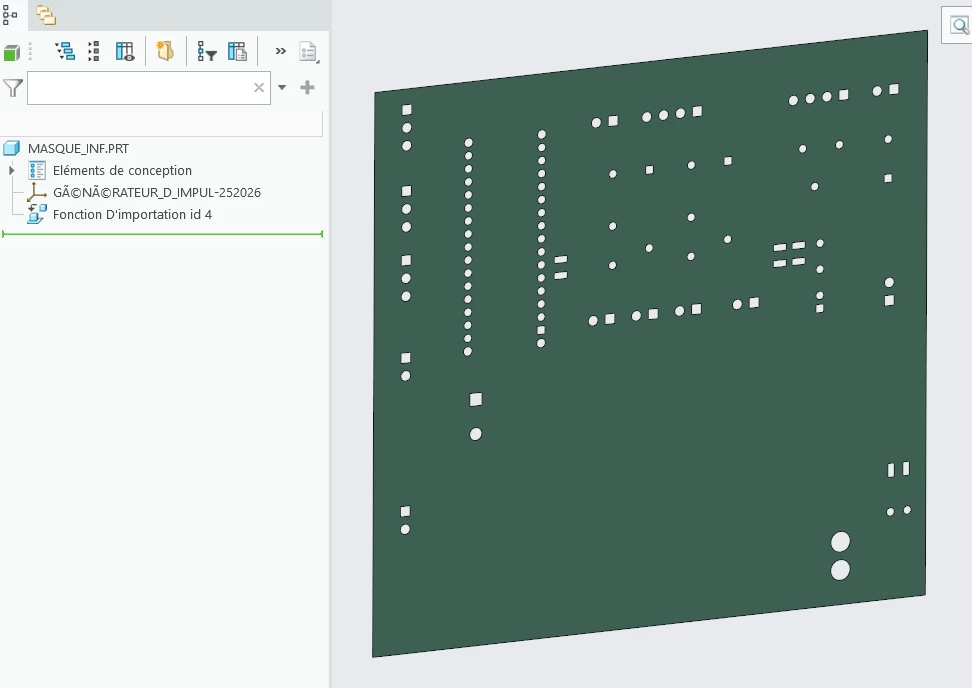
I have an imported part and i would like to create a sketch which would be the projection of all the edges automatically insted of click all edges one by one.

The part :
2025-12-17 15_17_34-MASQUE_INF (Actif) - Creo Parametric.png

Any advices ?


Thanks in advance.


Best answer by RJ_FR

Hello,


I found the solution.

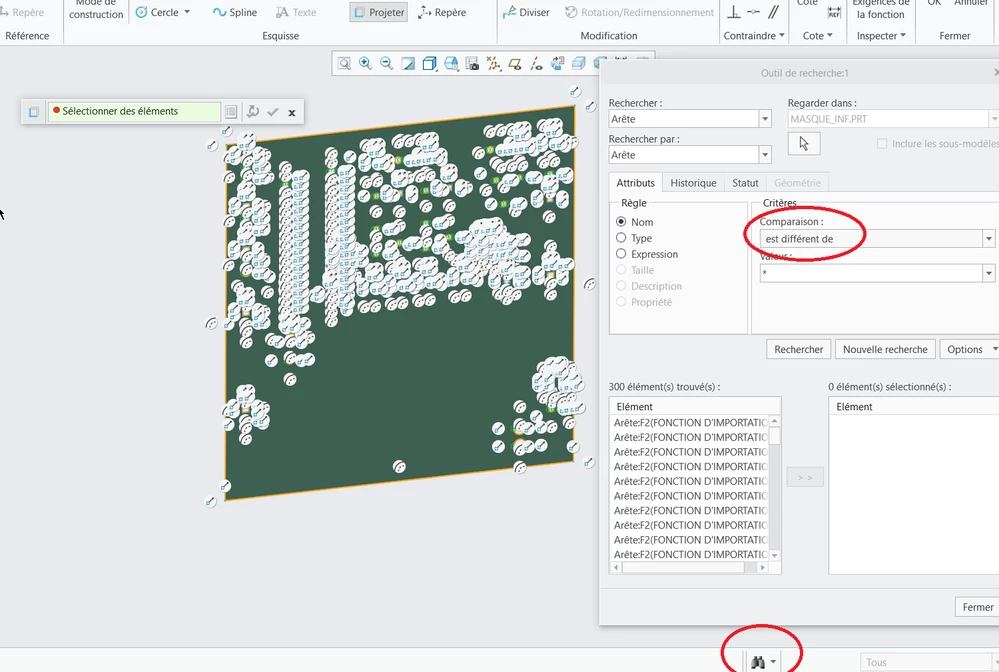
In a sketch, with the projection tool, you need to use the research tool to select all edges at once.

In my first try, I used "name equals" as the criterion, whereas it should be "name different from".
 

2025-12-18 06_44_38-MASQUE_INF (Actif) - Creo Parametric.png

2 replies

tbraxton
22-Sapphire II
22-Sapphire II
December 17, 2025

Create a cross section through the thickness of the plate. Create a curve from cross section using this new section. You will then have all curves from the section available in a single selection. 


tbraxton_0-1765992240992.png

tbraxton_1-1765992370288.png


See recent thread with the same issue here: https://community.ptc.com/t5/3D-Part-Assembly-Design/Create-a-surface-using-multiple-curves/m-p/1047217#M142238 


RJ_FR12-AmethystAuthor
12-Amethyst
December 18, 2025

Hello,


I can't because the part is not a solid part, but just a single surface. I can't use the cross section feature as in my other topic.


tbraxton
22-Sapphire II
22-Sapphire II
December 18, 2025

The fact that the import geometry was a surface(s) only is an important detail for your question that I did not get from the original post or image. Good work on finding a search query that works for this. Consider that if you have more than one quilt in the model this query will not work on its own, you would need to build a nested query to define the domain of search to be a specific quilt(s).


Here is another query to get all edges within a quilt feature. This query is subject to the above mentioned caveat as well.

tbraxton_0-1766082511736.png


RJ_FR12-AmethystAuthorAnswer
12-Amethyst
December 18, 2025

Hello,


I found the solution.

In a sketch, with the projection tool, you need to use the research tool to select all edges at once.

In my first try, I used "name equals" as the criterion, whereas it should be "name different from".


2025-12-18 06_44_38-MASQUE_INF (Actif) - Creo Parametric.png
