1-Visitor
September 20, 2018
Solved

Reflection analysis Resolution is too low

  • September 20, 2018
  • 7 replies
  • 7470 views

Hi all, I have use creo (pro/ engineer) about eight years, i want to make some high quality surface for the design ,so the surface analysis tools was so important.

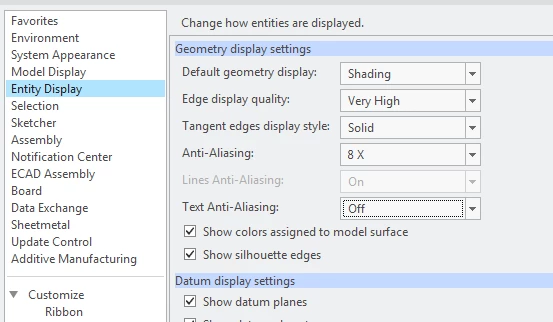
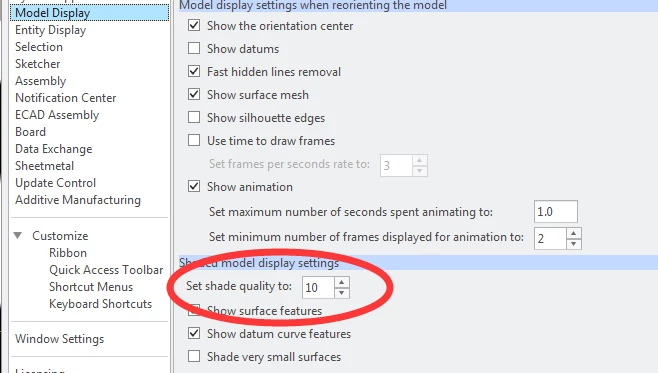
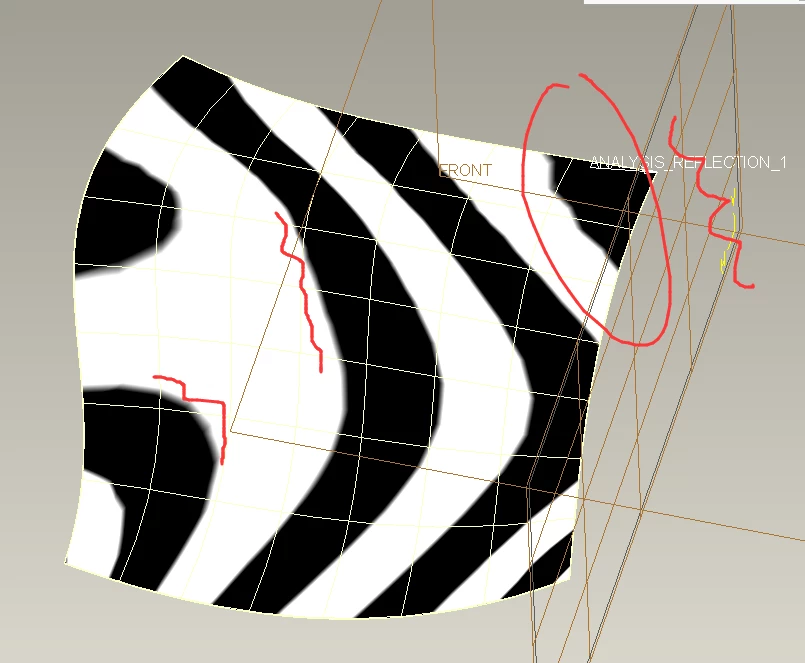
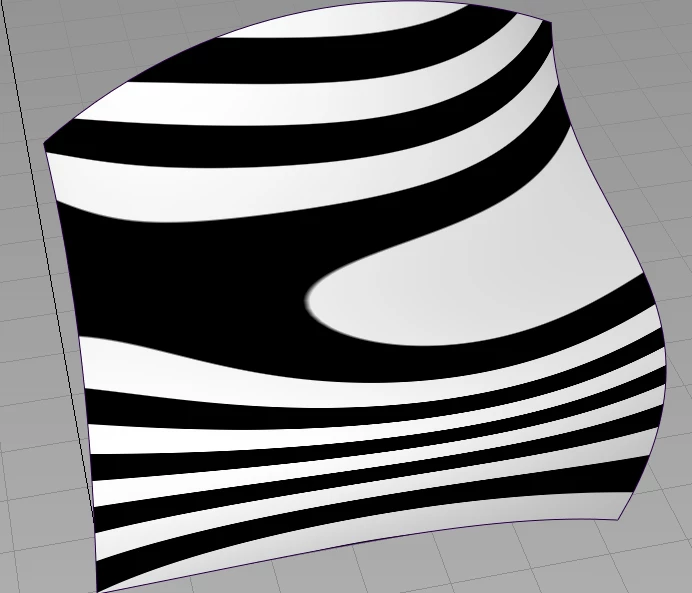
There is a problem has been bothering me for a long time.The Resolution of the Reflection analysis in creo looks not smooth ,I search the net and found some way to slove this,but cannot works .I change the geometry display settings to very high and the anti_aliasing  to the high value . change the  model display  shade quliaty to he high value, but above thoes setting can not works .the refletion anaylsis is looks like the low resolution

How to solve this problem? 

Thank you all  .Forgive me about my  poor English Smiley LOL

.


display1.pngdisplay2.png

creo_refletion_analycreo_refletion_analyalias_refletion_anlyalias_refletion_anly

Best answer by MartinHanak

Hi,

I do no know if it is bug. Try contacting PTC Support.

Also you can upload your model. I can test it on my PC.

7 replies

24-Ruby III
September 20, 2018

Hi,


1.] check your config.pro files ... look for graphics option ... what did you find ?


2.] what graphic card is installed in your PC ... how old are graphic drivers ?


mke-21-VisitorAuthor
1-Visitor
September 20, 2018

THANKS FOR REPLY

I check those settng .the config file,have not the Graphic option found (I guess you think is the   graphics win32_gdi  option,).

I Use the creo 5.01.The graphic car is Quadro K600..I try to install the 320.27 date graphic driver.(download form the Nvidia.com). and rebot my compute and try again.It have the same problem .Is this is a bug?

ss.png

24-Ruby III
September 20, 2018

Hi,

I do no know if it is bug. Try contacting PTC Support.

Also you can upload your model. I can test it on my PC.