
14-Alexandrite
October 6, 2023
Solved

Regarding the extrude feature

  • October 6, 2023
  • 1 reply
  • 864 views

I'm still learning the Creo features.

I would be grateful if you could help me.

I was checking out the Demo for the Enhanced Pattern feature.


As you can see in the picture, there is a hole in the shape.

When I checked the task tree on the left, I saw that the Extrude item contains reference elements.
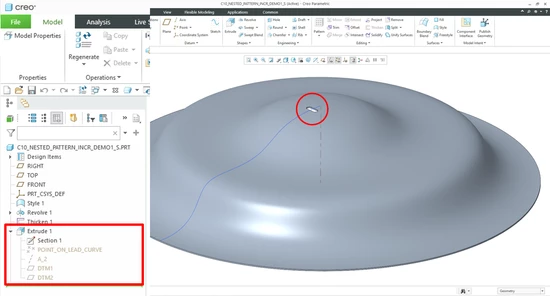
Inho__0-1696577828395.png


I tried to do something like this, but it was not possible to implement it like the method in the Demo except to set the reference element first and then Extrude.
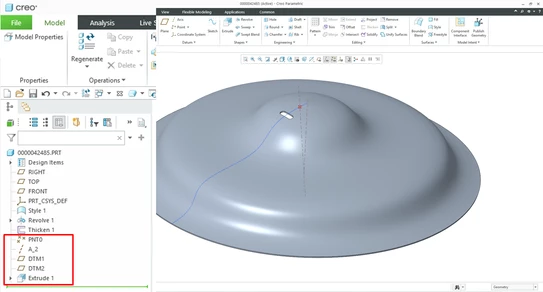
Inho__1-1696578024923.png


How can I Extrude like in the demo?


Best answer by MartinHanak

Hi,

  • start Extrude feature
  • use button on the right to create datum features

MartinHanak_0-1696580752351.png

  • resume Extrude feature UI
  • finish Extrude feature


1 reply

24-Ruby III
October 6, 2023

Hi,

  • start Extrude feature
  • use button on the right to create datum features

MartinHanak_0-1696580752351.png

  • resume Extrude feature UI
  • finish Extrude feature
