


Section regeneration failed. Incompatible dimension values.
Hi guys,
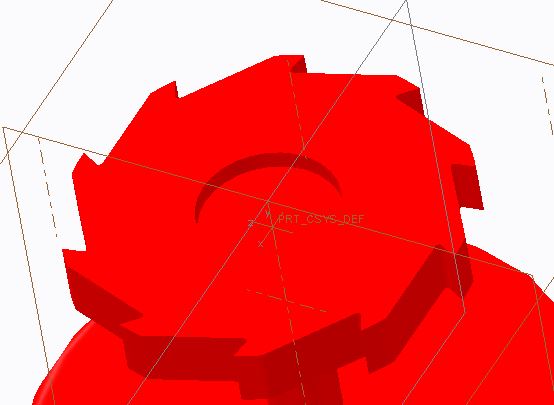
I'm very new to Creo Parametric 2.0. I'm working on a sketch of the gear part for a ratchet system. For whatever reason, I started the sketch at a strange dimension and would like to re-scale the entire part. While attempting to re-scale the radius of my gear, I got the error message: "Section regeneration failed. Incompatible dimension values." I've searched the internet as well as forums here and was unable to find a solution.
Steps I've taken: 1) Select entire sketch -> Modify -> (re-scale radius from 75.0 to 1 using locked dimensions and regeneration) -> "Section regeneration failed. Incompatible dimension values."
2) Edit dimension -> Select Radius -> (change radius value from 75.0 to 1) -> "modification failed. Try an alternative"
Question: How can I re-scale the dimensions of my part while maintaining the ratio of those dimensions? I want to reduce the radius from 75 to 1.
This thread is inactive and closed by the PTC Community Management Team. If you would like to provide a reply and re-open this thread, please notify the moderator and reference the thread. You may also use "Start a topic" button to ask a new question. Please be sure to include what version of the PTC product you are using so another community member knowledgeable about your version may be able to assist.