Semantic Query Not Clearing Surface Finish Symbol
- January 15, 2025
- 4 replies
- 1251 views
Hello,
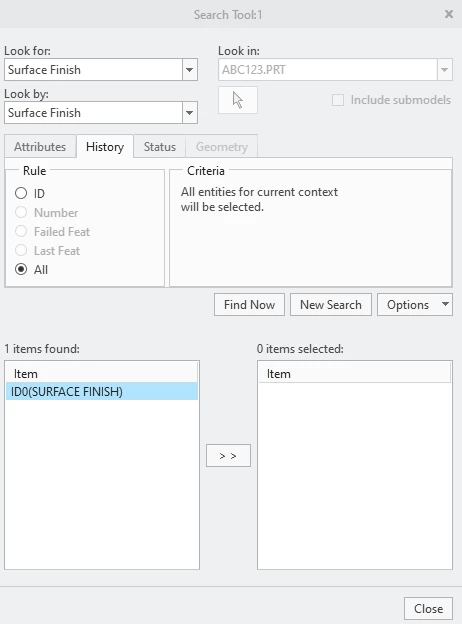
I am using Creo 9 on a Windows 10 laptop. The issue is that I am trying to add a surface finish symbol in the drawing, but am getting the following error message: "The selected surface is already consumed by surface finish sf1 as a restricted reference. Select another surface." As far as I know, I never placed a surface finish symbol in the model at any point. I only added them on the drawing side. I deleted sf1 from the annotations tree, but the error message still pops up. Looking through message boards, I found an instance where someone used Semantic Query to select surfaces with finish symbols and then clearing them. However, when I use the Semantic Query tool, use RMB, and select clear, the symbol does not go away and is still showing when I reselect the surface. Any idea how to remove this symbol so that I can place a symbol in the drawing.