
4-Participant
February 18, 2023
Solved

shaft generator

  • February 18, 2023
  • 7 replies
  • 4590 views

Hi,

I study at the University and  the topic of my diploma thesis is to create a generator of shafts in Creo (something like in Inventor).

I´ve already made a program in PRO/Program:
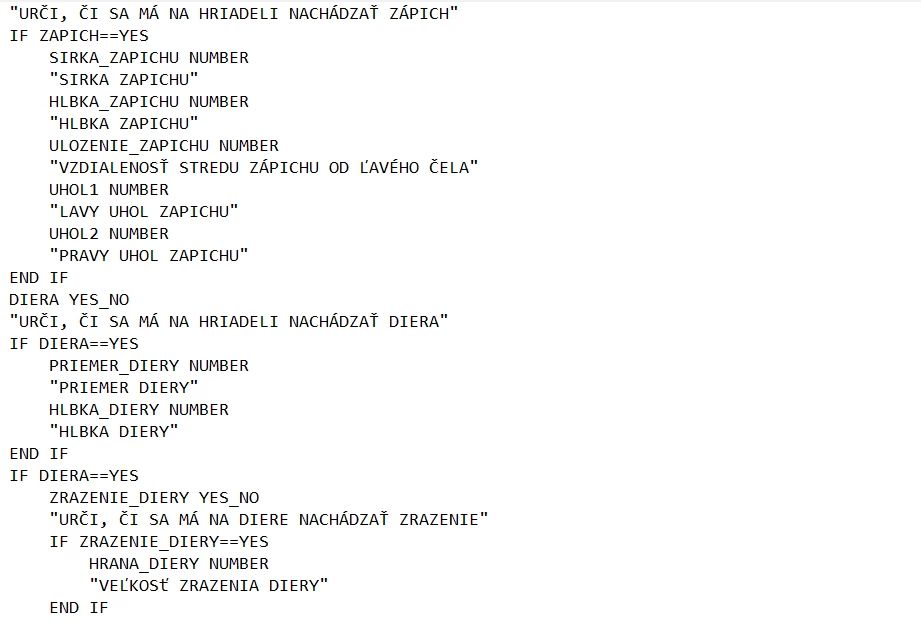
image.png

It is possible to create a cylinder/cone shaft with features (groove, axis hole and champfer on both sides).

Now i need to make an aplication in MATLAB. For that, I need a text file of program. But there is a problem because I can´t input a text file in Creo. So there is my question : How can i input a text file into Creo to be possible to create a model of shaft. I´ve got a student version of Creo.

Thanks for anwers. 😄
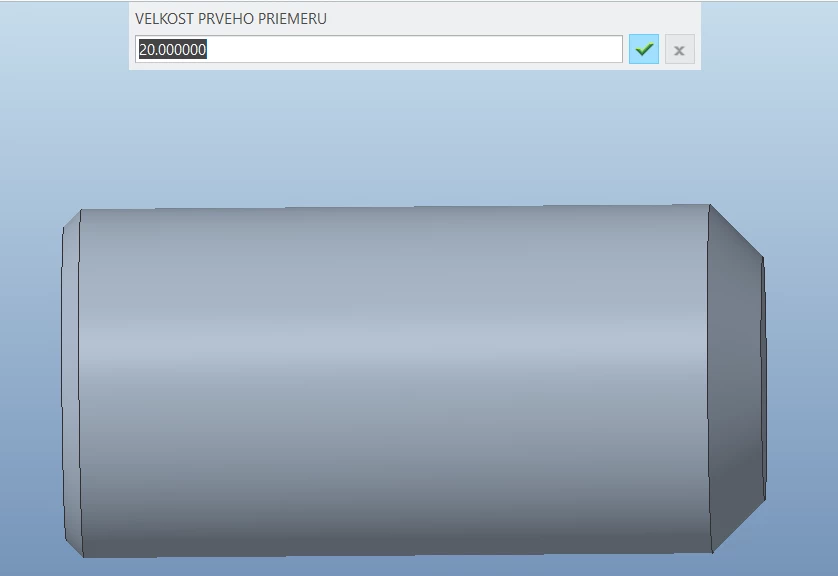
image.png


Best answer by MartinHanak

@DK_10247576 wrote:

Hi, 

Thank you for your answer. 

I already have a program with features in PRO/Program and i tried to use all features. The problem is that I need to edit text file of program out of creo and subsequently upload edited program (in text file) into creo, but it is impossible. When i click regenration button and choose opportunity Read File, nothing changes and model is still in same (unchanged) condition.


Hi,

uploaded video shows how to use Read File command.

7 replies

tbraxton
22-Sapphire II
February 18, 2023

Pro/Program has a function to read input from a text file.  See this link to some legacy documentation of Pro/Program.


http://www.datajett.com/Cadd/ProE/Wildfire_Help/program.pdf 


Refer to page 4 in the above link.


Input from a File
Instead of entering variables manually, you can enter them from a file located in the
current directory using Read File. The input file must have one input per line,
formatted as follows:
param_name = value or expression
For example:
THICKNESS = 2.5
INCLUDE_VALVE = YES
MATERIAL = "STEEL"
If you enter parameters from a file that contains fewer parameters than are called
for in the INPUT statement, the system assumes current values for the missing
parameter.
If, on the contrary, the output file contains more variables than are needed for the
execution, those parameters not pertaining to the program are disregarded.
Because the program ignores those parameters that do not pertain to this particular
program, you can create an input file that acts as a global source for a number of
models.
Note: The system is case-sensitive when parameters and their values are read in
from a file. Be consistent in specifying variables.

4-Participant
February 18, 2023

Thank you for your answer.

I´ve already tried this but nothing has changed. In text file I changed values of parameters and input the edited file using Read File but the dimensions of cylinder has not changed. 

24-Ruby III
February 18, 2023

Hi,


firstly you have to create a part containing all features.

You can then define a Pro/PROGRAM that will control the dimensions of individual features and turn features on/off.


To get information about Pro/PROGRAM functionality, please open youtube.com page and search for pro/program creo


24-Ruby III
February 18, 2023

You can put your model into zip file and upload it. I can investigate it and give you some advice.