1-Visitor
October 24, 2019
Solved

Sharp edge during surfacing, needed it to curved

  • October 24, 2019
  • 2 replies
  • 4614 views

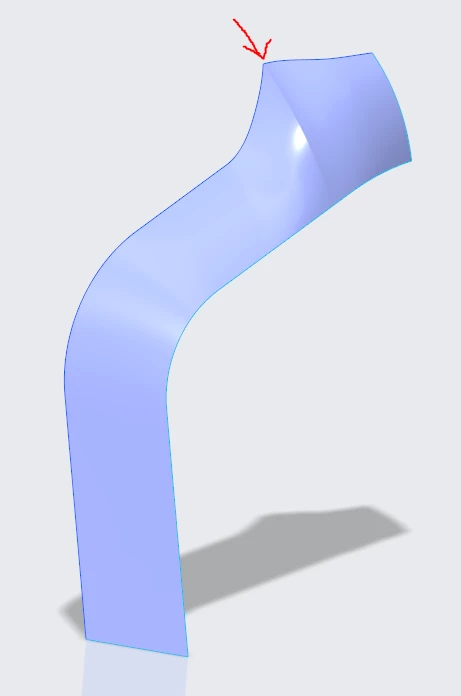
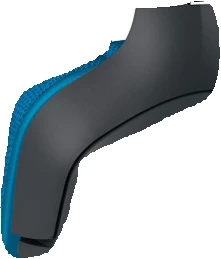
I am trying to get a curvature like the photo attached, however it ended up as a sharp edge, attached my part file, I don't know what my mistake is. 
 

Yoke.PNGYoke2.PNG

Best answer by tbraxton

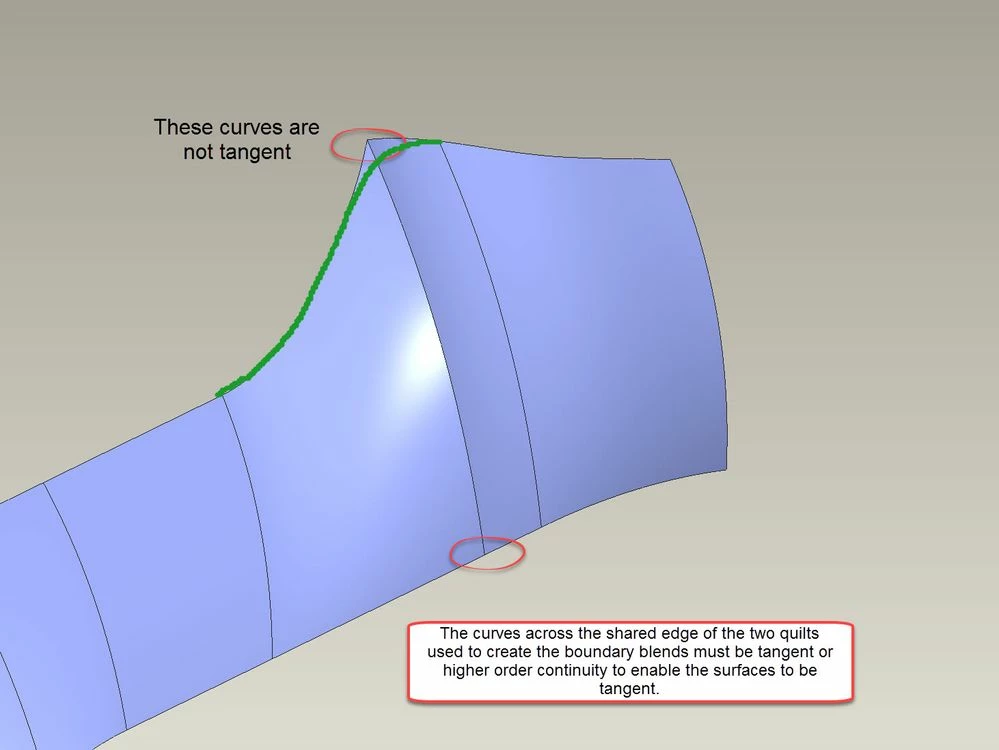
All of the underlying curves must have continuity equal to or greater than the surface connection you desire. Your construction geometry does not satisfy this requirement. If you can use a curve that is G1 or higher across the boundary (see green curve in pic) it will enable a tangent connection of the surfaces.


Refer to this link for more details about continuity and applications to surface modeling.

Continuity in surfacing 


G1 cont 2.jpg

2 replies

tbraxton
22-Sapphire II
22-Sapphire II
October 24, 2019

I can not open the file in Creo 4 but it would appear that your underlying curves do not support tangency (or higher continuity) across the boundary. The curves defining the surface edges must have continuity equal to or greater than the desired surface connection continuity. The sharp corner you point to is likely the issue.


If subdivide the surface shown into 2 or more features you would have more control over the connections between patches in the quilt. Are you using ISDX (style features) or Creo surface to build this?


See the pic. Build 2 4 sided boundary blends as shown and use the common edge of BB1 (make sure to select the edge of the surface and not the curve) as one side of the second BB. You can then try to set the tangency of the common edge in the second BB.G1 cont.jpg


1-Visitor
October 25, 2019

I tried changing it to tangent on the 2nd bb but it will not generate, attached a .stp file instead. 


I am guessing because the curve at the 1st BB is too steep while the 2nd BB is not. I am unsure how to make splines that correspond to the 1st BBs curve profilie so that it will allow the smooth curvature.


Capture.PNG

kdirth
21-Topaz I
21-Topaz I
October 24, 2019

Can not open.  Probably student version.  Can not see model tree either to see the features used to construct it.


The curves defining the top have no tangency.


There is always more to learn.
1-Visitor
October 25, 2019

thanks for the help! attached the .stp below, hope you could provide some advice on removing that sharp corner

tbraxton
22-Sapphire II
tbraxton22-Sapphire IIAnswer
22-Sapphire II
October 25, 2019

All of the underlying curves must have continuity equal to or greater than the surface connection you desire. Your construction geometry does not satisfy this requirement. If you can use a curve that is G1 or higher across the boundary (see green curve in pic) it will enable a tangent connection of the surfaces.


Refer to this link for more details about continuity and applications to surface modeling.

Continuity in surfacing 


G1 cont 2.jpg