
14-Alexandrite
July 23, 2026
Solved

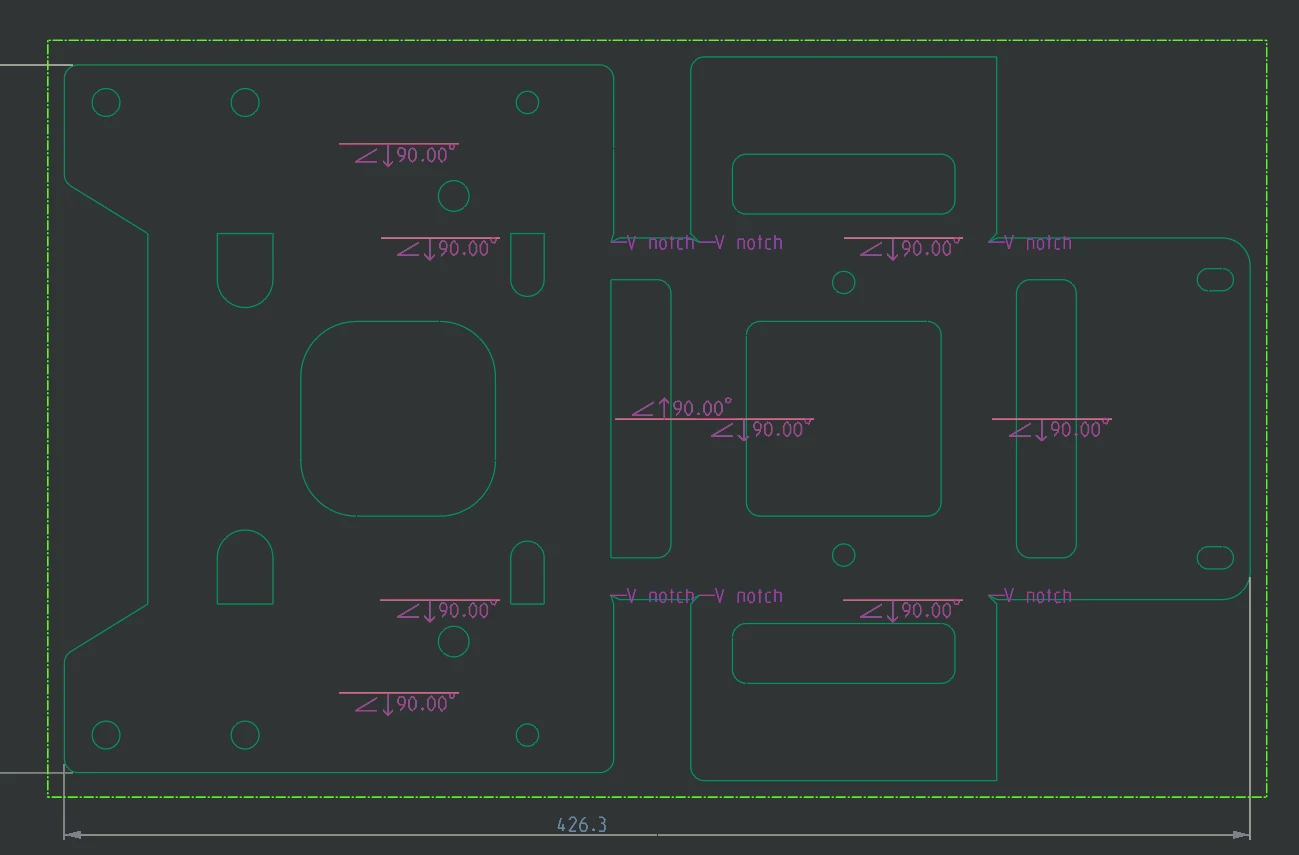
SHEET METAL BEND NOTES

  • July 23, 2026
  • 3 replies
  • 69 views

Hi,

how can I add the default bend radius in the bend notes? I want to add the default sheet metal bend radius at all notes and for all the feature drawing that I’ll do.

Maybe I have do modify a config.pro command?


Thank you!


Michele Barile
 

Best answer by kdirth

Creo 12 help center: About Bend Notes

File > Options > Options > Core > Sheetmetal > Bend not element order:  Add “R&inner_radius” to the setting.

Or manually add “smt_bend_notes_order &type&direction&angle R&inner_radius” to your config and regenerate the model.

3 replies

Mahesh_Sharma
22-Sapphire I
July 23, 2026

Hi ​@MB_10508968 


I think earlier conversation can help you. 


Also, you can refer article https://www.ptc.com/en/support/article/CS333581


Thanks. 

kdirth
kdirth21-Topaz IAnswer
21-Topaz I
July 24, 2026

Creo 12 help center: About Bend Notes

File > Options > Options > Core > Sheetmetal > Bend not element order:  Add “R&inner_radius” to the setting.

Or manually add “smt_bend_notes_order &type&direction&angle R&inner_radius” to your config and regenerate the model.

There is always more to learn.
14-Alexandrite
July 24, 2026

Thank you kdirth, it works well!

I tried the second mode and it solved the problem.
