

Sheetmetal unbend fails for a swept blend
Hi,
I'm trying to create a sheet metal part like this from 2mm stainless steel, but I'm having problem with the last step which is unbending the part.
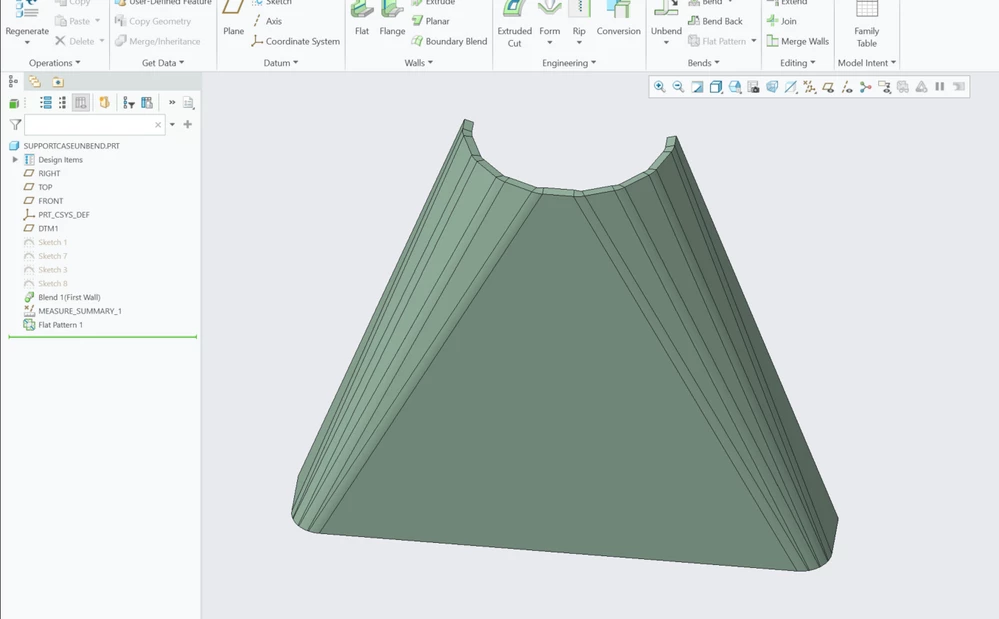
I get the troubleshoot message:
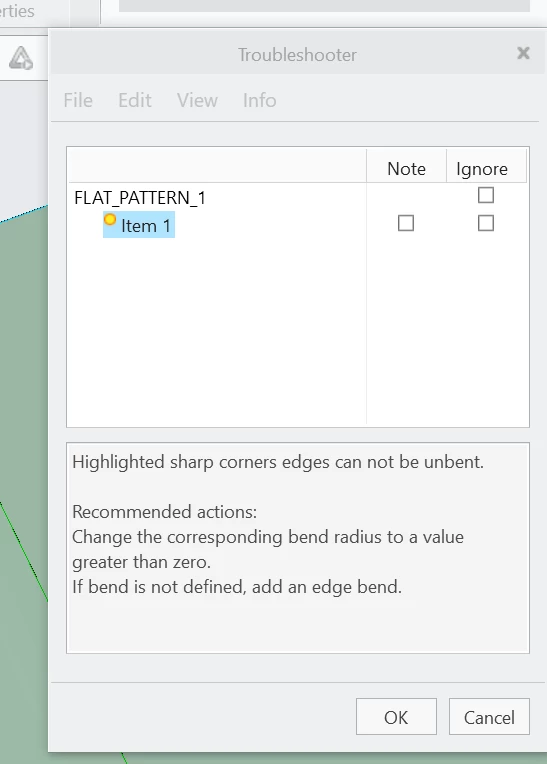
"highlighted sharp corners cannot be unbent. Recommended actions: Change the corresponding bend radius to a value greater than zero. If bend is not defined, add an edge bend."
I've searched for this problem in the forum but cant find anything similar.
I've tried the following.
- checked that the sketches have tangent between lines and curves to not have sharp edges
- radius is same in the two sketches to have a consistent bend radius
- experimented with using thinner material, different radii of the bends and the circular part and the corner part. longer straight lines in the circular sketch, etc.
- tried creating the part in another way by creating a swept blend surface in part modeling and then offsetting the part in sheetmetal.
- tried using blend instead of swept blend.
- tried switching material to brass to see if it helps with a more bendable material.
- tried making a full cone with a rip, like some youtube tutorials show work.
In all these cases the part will not flatten using unbend or transitional unbend or flat pattern.
I have no problem unbending a model that was made with the same method as some youtube videos (search "creo sheet metal swept blend", CADx and 4K side channels have done this part).
Im using creo 9.0.3.0.
the model "regularbendlines" is the one I want to make work with unbend. See attached file
Any ideas on what is the problem?
