10-Marble
May 18, 2016
Solved

Showing a space with a parameter.

  • May 18, 2016
  • 1 reply
  • 1452 views

Greetings,

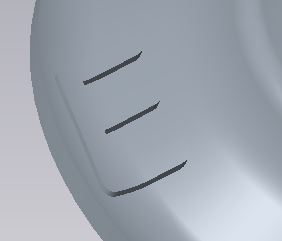
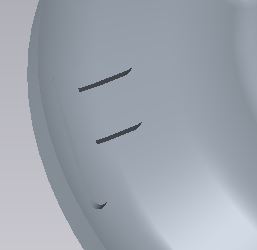
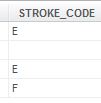
I have a family table where text on the part is defined by a parameter.

There are several instances but now I want to add one where the text is blank.

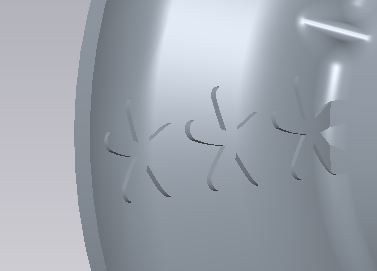
I have tried putting a space character in the family table but when it is regenerated it shows as three asterisks (***).

Is there a special code for showing a "blank".

Mike
004.JPG002.JPG003.JPG001.JPG


This thread is inactive and closed by the PTC Community Management Team. If you would like to provide a reply and re-open this thread, please notify the moderator and reference the thread. You may also use "Start a topic" button to ask a new question. Please be sure to include what version of the PTC product you are using so another community member knowledgeable about your version may be able to assist.
Best answer by psobejko

When entering in the text into the family table for the instance where you don't want the text showing, you could try typing in the extended code for non-breaking space: hold ALT and type in 0160

But my quick test shows that an extrude based on such "empty string" will fail - makes sense, there is no geometry to extrude.

So maybe you have to add another column to your family table to remove this extrusion from that instance...

1 reply

psobejko1-VisitorAnswer
1-Visitor
May 18, 2016

When entering in the text into the family table for the instance where you don't want the text showing, you could try typing in the extended code for non-breaking space: hold ALT and type in 0160

But my quick test shows that an extrude based on such "empty string" will fail - makes sense, there is no geometry to extrude.

So maybe you have to add another column to your family table to remove this extrusion from that instance...