


Question
Showing datum points on drawings when creating a pipe
I've created a pipe using datum points. I'm able to create the table which shows the dimensional placement of the points (driven from the model) however I cannot get the datum points to show (with the name) on the drawings. I don't wish to toggle on using the display manager (that doesn't show the name of the point anyway).
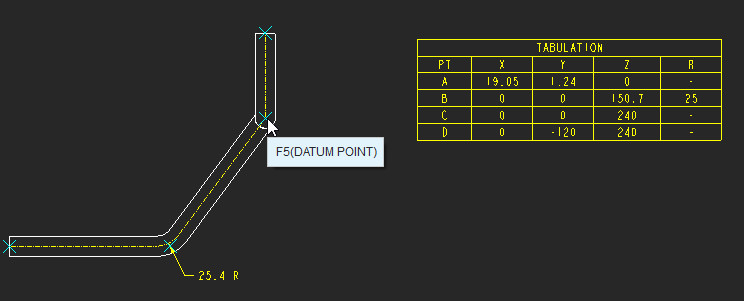
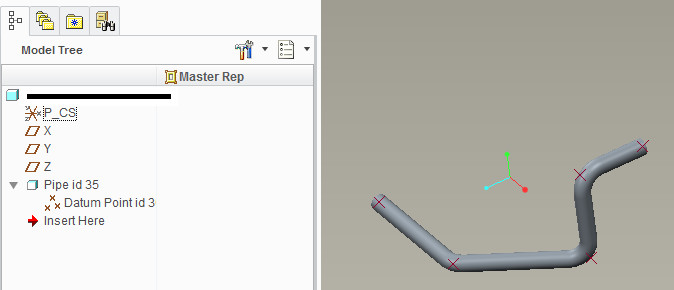
Regards,
Justin
This thread is inactive and closed by the PTC Community Management Team. If you would like to provide a reply and re-open this thread, please notify the moderator and reference the thread. You may also use "Start a topic" button to ask a new question. Please be sure to include what version of the PTC product you are using so another community member knowledgeable about your version may be able to assist.