
8-Gravel
February 22, 2022
Solved

Sketcher "Point on Extension Line" Constraint

  • February 22, 2022
  • 1 reply
  • 2310 views

During sketching I often run into this constraint and I would like to disable it, the problem is, this one is not in the list of constraints in the options menu. A google search has not been fruitful. 


I do not want the points of a box I am sketching to snap onto other references, I know I can right click to disable it but would prefer to not have to deal with this constraint at all.


Any tips would be appreciated.
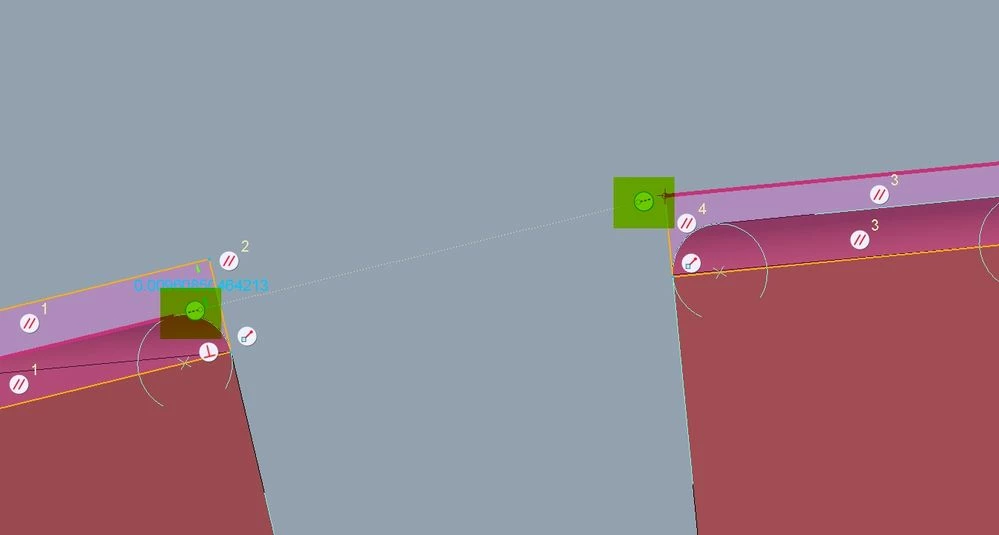
 

constraint.jpg

Best answer by kdirth

Holding shift disables creation of all constraints not locked.  ðŸ’¡

1 reply

kdirth
21-Topaz I
kdirth21-Topaz IAnswer
21-Topaz I
February 22, 2022

Holding shift disables creation of all constraints not locked.  ðŸ’¡

There is always more to learn.
M.Shuler8-GravelAuthor
8-Gravel
February 22, 2022

This will work for sure.


If there is no way to completely disable this constraint I will mark this as the solution, but it's more of a workaround IMHO.

kdirth
21-Topaz I
21-Topaz I
February 22, 2022

Try config sketcher_point_on_entity_constr no.

There is always more to learn.
