
19-Tanzanite
November 12, 2022
Question

Sketcher weirdness

  • November 12, 2022
  • 1 reply
  • 2139 views

Have you have come across a situation where the sketcher is acting strangely?

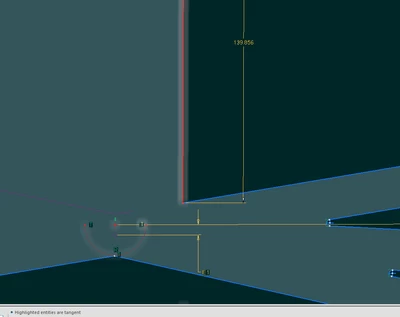
In this case, after trimming off a bunch of lines, the sketcher unexpectedly added in dimensions.  When I investigated this by using the "Modify Dimensions" tool to change the value of the dimension shown, the highlighted (vertical) line moves left to right.  And yet the sketcher keeps insisting that this line is tangent to the fixed-size arc at the bottom:
pausob_3-1668228406406.png


1 reply

24-Ruby III
November 12, 2022

Please specify which version of the program you are using.

pausob19-TanzaniteAuthor
19-Tanzanite
November 13, 2022

I've recreated the "issue" on a new part.  Creo 4 M150


Model sketch_test.prt, feature #15 - "Sketch 5"


pausob_0-1668359200872.png

Selecting the “T”angent constraint, and performing the “explain” command:

pausob_1-1668359363336.png


I attach the model and a few slides to show how it was made.


I suppose I'm wondering if there's something I am missing in my basic understanding about tangency / geometry.

kdirth
21-Topaz I
November 14, 2022

That is weird.  It seems the tangencies are between the end points of the arcs and the lines (all 4 of them).  If you drag the endpoint of the arc the line moves.  It appears that the line remains parallel with the end of the arc.

kdirth_1-1668432081975.png


If I add my own tangency between the arc and the line (Creo 7) it snaps to where I expect it and the "point tangency" remains with no conflict.

kdirth_0-1668432017245.png


There is always more to learn.