4-Participant
January 21, 2020
Solved

Solid to Sheet metal - distinc elements

  • January 21, 2020
  • 1 reply
  • 3694 views

Hi,

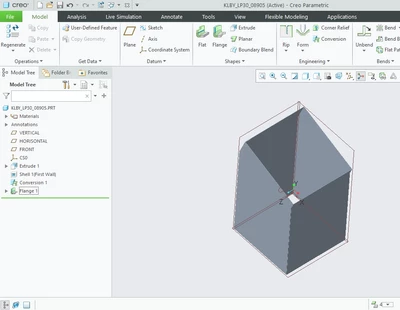
I have created a solid part and converted it to sheet metal part. It consists of 4 distinct pieces. I can unbend all of them but how to create the drawings of each flat piece? 
 

plos_0-1579598709503.png


best regards

Piotr

Best answer by Mahesh_Sharma

@plos 

As I mentioned previously, you cannot create drawing for each distinct piece.. 

Still if you need that, one of the alternate option can be material removal feature to have each side individually and control by family table. 

As, create extrude features for solid material removal in such a way that it will leave only one side for each extrude. later use family table and control extrude features.. 

1 reply

Mahesh_Sharma
22-Sapphire I
January 21, 2020

Drawing for each distinct piece cannot create.. commonly all the walls should be merged and and a single flat state defines the part for drawing. 

Can you share the file for review? 

plos4-ParticipantAuthor
4-Participant
January 21, 2020

Thanks for the answer!
Here's the file. I wanted to have each wall as a separate part. I thought there should be an easier way than create 4 different .prt

Mahesh_Sharma
22-Sapphire I
January 21, 2020

@plos 

As I mentioned previously, you cannot create drawing for each distinct piece.. 

Still if you need that, one of the alternate option can be material removal feature to have each side individually and control by family table. 

As, create extrude features for solid material removal in such a way that it will leave only one side for each extrude. later use family table and control extrude features..

