
4-Participant
January 22, 2023
Question

Split a part or surface into multiple parts/Surfaces

  • January 22, 2023
  • 3 replies
  • 1120 views

I have multiple closed sketches on a body. There are thousands of these sketches. I would like to create separate  parts or features from these closed loops . What would be the fastest way besides Creo Toolkit?
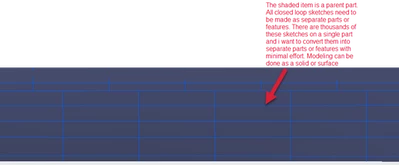
Image.png

3 replies

tbraxton
22-Sapphire II
January 22, 2023

To repeat features withing a part, patterning would be the most efficient. Without more details of what you need, it is speculation to suggest a specific approach. Post a simple sample model so we can understand the details.


If you can define the location and size of the singulated geometries, then you should be able to implement a solution using patterns.

kdirth
21-Topaz I
January 23, 2023

This sounds like it should have been created as a skeleton model. 


If you create all of the parts in an assembly, you can create references to the sketches in the original part.  This would create external references.


You could also use Merge/Inheritance to import the base model into the other models.

There is always more to learn.
tbraxton
22-Sapphire II
January 23, 2023

If indeed your question is actually how to plan the design intent as @kdirth has offered some insight on, then have a look at this thread. There is a link to a pdf document that deals with defining design intent and making a plan on how to reduce it to practice in Creo. It does not include multibody but is still relevant.


The link is in the marked solution of this thread:

https://community.ptc.com/t5/3D-Part-Assembly-Design/tracking-down-a-circular-reference/m-p/709120