

Question
Split Face Command
In Creo Parametric 3.0, In the modeling Tab under Editing there is a Split Surface command.
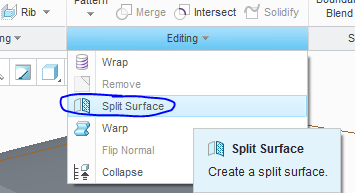
Can someone give me some insight as to how this command works?
(Procedure?)
Lets say I have a rectangular plate,
Can I split the top face into 2 faces?
Can I draw a circle on the top face and split the face at the circle?
What procedure is used to do this? Line? Plane? Another Surface?
My last project we used Solidworks and we used split face to assign different appearances on faces.
Such as around bolts, the paint was removed close to the holes for grounding and they wanted a different appearance between the two faces.
Thanks!