3-Newcomer
September 22, 2026
Question

Stop receiving "Removal of Assembly - Level Features" warning

  • September 22, 2026
  • 2 replies
  • 19 views

I don’t want to receive this warning every single time I open Creo 13 and activate a part for the first time. Is there any way to turn this warning off? 
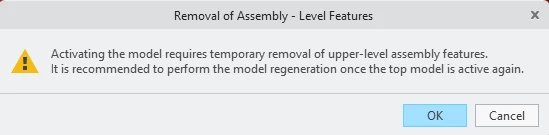
Removal of Assembly - Level Features warning


2 replies

StephenW
23-Emerald III
September 22, 2026

I don’t remember seeing any option for turning off this warning. It’s pretty much always been in creo, back for many years. Probably added at one point in early versions of pro/engineer.

I would suggest making a product idea here https://community.ptc.com/creo-parametric-ideas-180 to ask PTC to add that as an option. Don’t hold your breath.

tbraxton
22-Sapphire II
September 22, 2026

Are you using Creo + (online) or on premises license?

If this problematic in daily use, then create a mapkey that will activate the part and close the warning box.

Your statement that every time you activate a part in assembly mode invokes this notification to appear it concerning. Do all of these parts in fact have assembly features used to modify them? If so then the code is working to spec. If a part is not a child of an assembly feature, then something is amiss and you should open a ticket with tech support. If the same models did not create the warning message in releases prior to Creo 13 then you should also ask support to investigate.

In general, assembly features should be avoided unless there is no other way to create the model geometry. If many/all of your parts use assembly features, then you should consider starting another thread on why and how you could possibly change your approach to eliminate them.

