4-Participant
August 26, 2024
Question

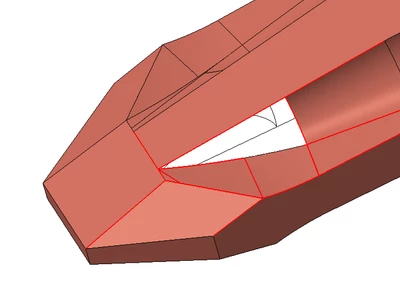
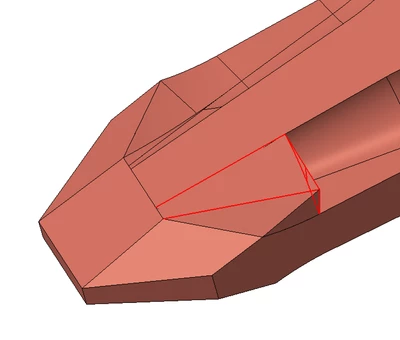
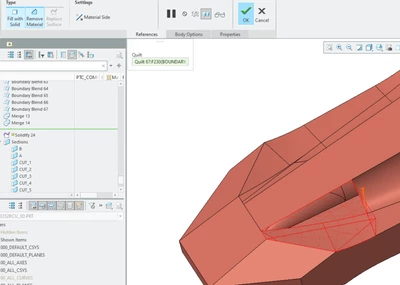
Surface despaired from 3D Creo Model after performing Solidify Remove Material?

  • August 26, 2024
  • 1 reply
  • 659 views

How to fix when surface despaired from 3D Creo 9.0 Model after performing Solidify Remove Material? The surface is not hidden in the layers. I clenched that. CAn somebody hgel with that issue?


DD_9908519_3-1724433370790.png


DD_9908519_1-1724433322016.pngDD_9908519_2-1724433330345.png


1 reply

tbraxton
22-Sapphire II
22-Sapphire II
August 26, 2024

Is the surface actually missing? It could be a display issue. Verify that you have solid geometry in the model after applying the remove material feature. If the model is solid, then it is most likely a display problem. Report back here if the model is solid geometry or is surfaces with an open patch after removing the geometry.


View the model in wireframe and observe the area of the "missing" surface. The color of the edges here will indicate if the surface is missing or not.