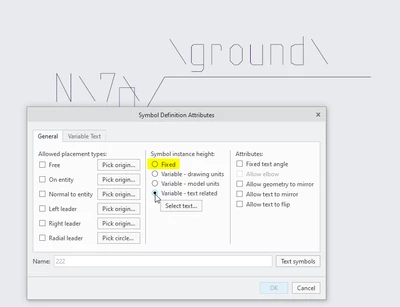
Solved
Surface symbol text size 3D Annotation
Hello
In our Creo (Creo Parametrics 8.0) 3D environment, the text size of surface symbol cannot be changed.
If I open the text style menu for the surface symbol, the value is set by 13.000272.
Now I can insert a new value, force Apply or OK, but the size does not change.
If I open afterwards again the text style menu, the 13.000272 is back again in the cell.
Does any body have a hint how to change it after creation of the symbol?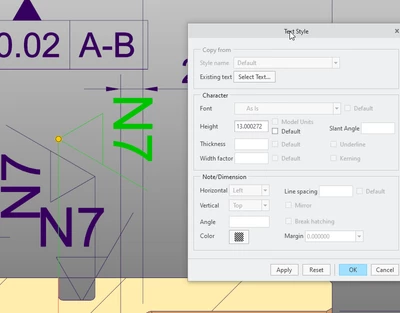
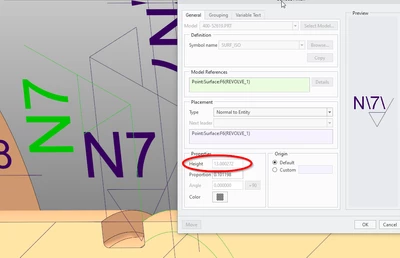
The surface symbol is applied by the use of the Annotation, Surface Finish feature.
Here I find as well this value for the Height 13.000272.
Thank you in advance for inputs.
PB