1-Visitor
May 3, 2016
Solved

Swept blend

  • May 3, 2016
  • 2 replies
  • 6384 views

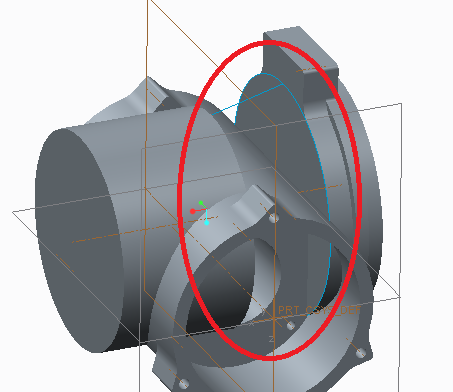
Hello i trying to make a swept blend between two circles.

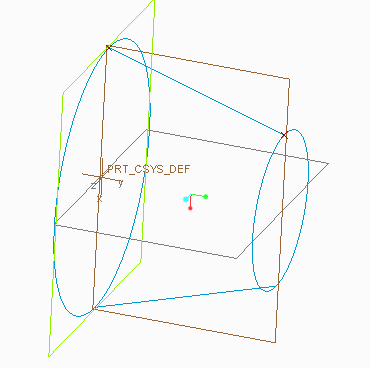
The second circle centrum is 7 mm down in vertical axes from he other circle. Also the circles are not the same size.

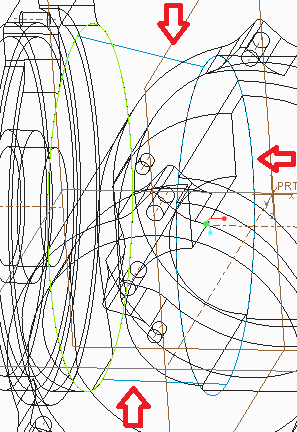
I made two circles then made two guide line for the blend but I down really know how to do it. The only thing that works for me is to make a boundry blend and then thicken it but then the solid becomes wierd when you make it too thick.

Here are some pictures showing what i want:
pic3.png

pic1.pngpic2.png


This thread is inactive and closed by the PTC Community Management Team. If you would like to provide a reply and re-open this thread, please notify the moderator and reference the thread. You may also use "Start a topic" button to ask a new question. Please be sure to include what version of the PTC product you are using so another community member knowledgeable about your version may be able to assist.
Best answer by dgschaefer

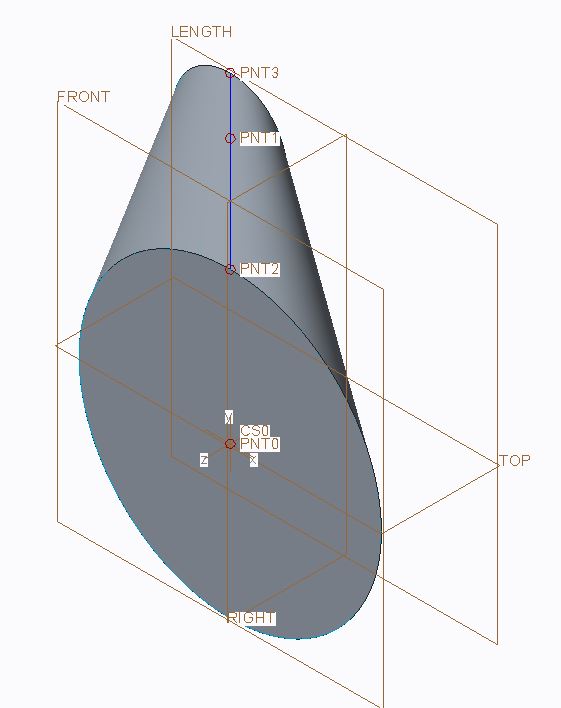
This can be done with a Variable section sweep, it just takes a few features to set it up.  This assumes that each end is parallel and it'll also give you circular section in every plane parallel to the end sections.

Capture.JPG

I've attached a Creo 3 model as well.

2 replies

1-Visitor
May 3, 2016

Use a swept blend, and instead of using two trajectories (the two guide lines) use a single trajectory that goes from the center of the first sketched circle to the center of the second sketched circle.

1-Visitor
May 3, 2016

What happens is this: The plane that you sketch the circle is not vertical as the line is not vertical

pic4.png

1-Visitor
May 3, 2016

The trajectory doesn't need to be normal to the sketch plane if that's what you're asking.

21-Topaz II
May 3, 2016

This can be done with a Variable section sweep, it just takes a few features to set it up.  This assumes that each end is parallel and it'll also give you circular section in every plane parallel to the end sections.

Capture.JPG

I've attached a Creo 3 model as well.

1-Visitor
May 3, 2016

I have creo 2.0 , can you do this in creo 2 also? ( it says prt0003 cant be retrieved)

What did you mean that the ends need to be parallell?

1-Visitor
May 3, 2016

Yes, you can do this in Creo 2.0 as well.  Doug was just saying that he set up his sweep so that the sections will remain parallel.  I have attached a model that is also set up that way, but in Creo 2.0.