10-Marble
April 9, 2020
Solved

Symbols not exporting to DWG

  • April 9, 2020
  • 1 reply
  • 4258 views

Dear All, I was hoping you could help me with something that has me tearing my hair out.

On Creo 5, I am having trouble exporting drawings to DWG.

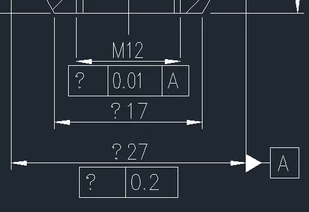
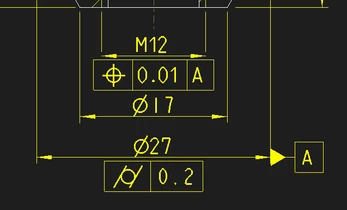
On the left, is what the Creo drawing shows, and on the left, what loads up in DWG Trueview.
 

creo_screenshot.PNGdwg_trueview_screenshot.PNG

Does it have anything to do with the setting below?:
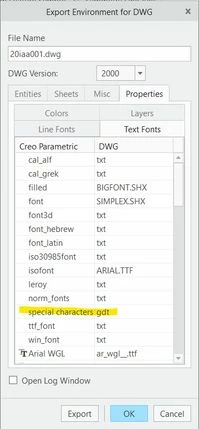
export_window.jpg

Does anyone know what's going on?

Thanks for reading!

Ivan
Best answer by MartinHanak

Hi,

results of my testing follow ...


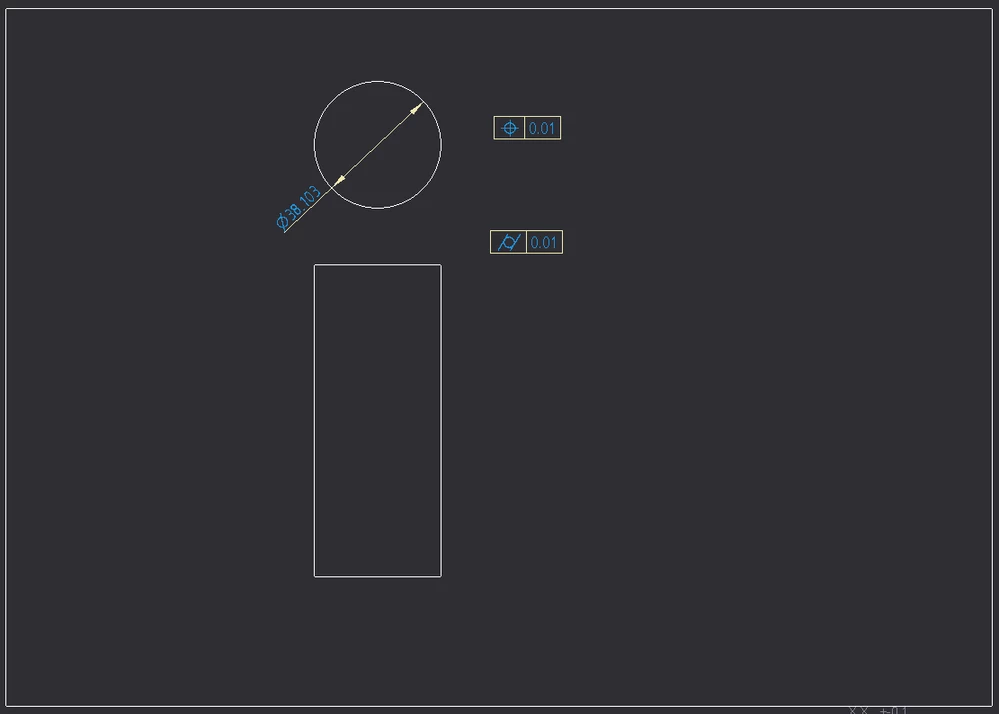
Test drawing:

test_drawing.png


In drawing and in model I set following detail option:

symbol_font asme


I installed symbol_asme.ttf into Windows. The file is located in E:\PTC\Creo5_050\Creo 5.0.5.0\Common Files\text\fonts directory on my computer.


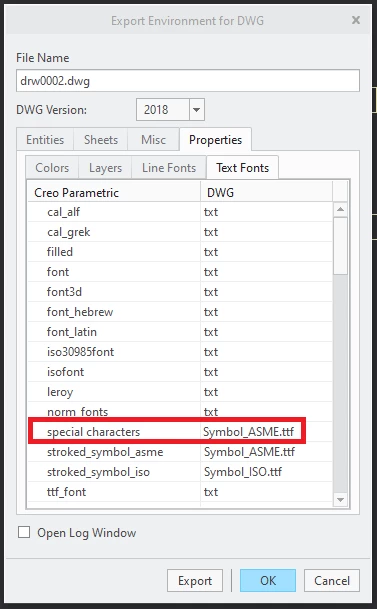
I exported drawing into DWG in AutoCAD 2018 format and set following font mapping

font_mapping.png


When I open DWG in DWG TrueView 2019 I can see correct special characters.


DWG exported in AutoCAD 2000 format is incorrectly displayed in DWG TrueView 2019 I can see question marks instead of special characters.


That's all for now.


1 reply

24-Ruby III
April 9, 2020

Hi,

results of my testing follow ...


Test drawing:

test_drawing.png


In drawing and in model I set following detail option:

symbol_font asme


I installed symbol_asme.ttf into Windows. The file is located in E:\PTC\Creo5_050\Creo 5.0.5.0\Common Files\text\fonts directory on my computer.


I exported drawing into DWG in AutoCAD 2018 format and set following font mapping

font_mapping.png


When I open DWG in DWG TrueView 2019 I can see correct special characters.


DWG exported in AutoCAD 2000 format is incorrectly displayed in DWG TrueView 2019 I can see question marks instead of special characters.


That's all for now.


24-Ruby III
April 9, 2020

I uploaded dwg files.