1-Visitor
October 8, 2019
Solved

TEXT ABOVE DIMENSION LINE

  • October 8, 2019
  • 3 replies
  • 5293 views

Hello

Using CREO4

in 3D model, using Annotate I create the Annotation feature to define the dimensions.

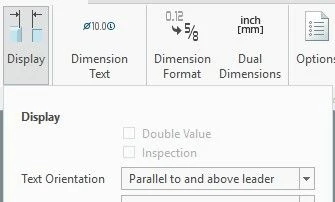
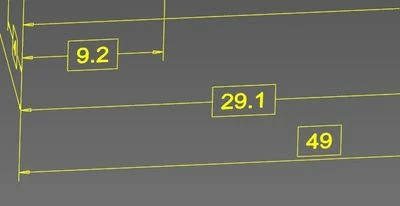
Is it possible to change the position of text for all dims (parallel and above) using any config option ?

see the dim "49" in the the pic !
 

pic- 4708.jpgpic- 4709.jpg


Thanks

Pierluigi  

Best answer by Mahesh_Sharma

File > Prepare > Change Detail options (last one in the list)

3 replies

24-Ruby III
October 8, 2019

Hi,

in model set detail option ...

default_lindim_text_orientation PARALLEL_TO_AND_ABOVE_LEADER

Mahesh_Sharma
22-Sapphire I
October 8, 2019

Detail option by Martin will work for new dimensions, existing needs to be update separately. 

1-Visitor
October 8, 2019

The mentioned option works for Drawing and I got it.

How to manage the 3D Annotation Features ?


Pier

Mahesh_Sharma
22-Sapphire I
October 8, 2019

File > Prepare > Change Detail options (last one in the list)

1-Visitor
October 8, 2019

Ok thanks.

It works.

But there is not any option for config.

I suppose I have to change the Template 3D model.

Thanks again !

Pier